
Artificial intelligence assistants have become increasingly sophisticated, offering users new ways to interact with information and automate tasks. Among the emerging players in this space is Kimi AI, an intelligent assistant developed by Moonshot AI. This guide provides a comprehensive introduction to Kimi AI, exploring its features, capabilities, and potential applications for beginners.
Understanding Kimi AI
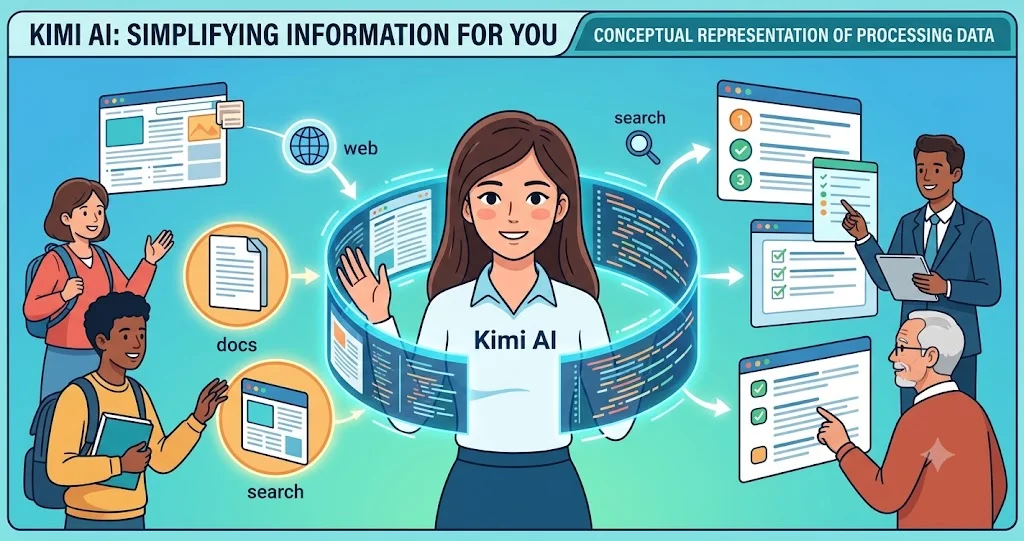
Kimi AI is an artificial intelligence assistant designed to process and understand large volumes of text-based information. Unlike some AI tools that focus primarily on conversational responses, Kimi AI distinguishes itself through its ability to handle extensive documents, web pages, and data sets simultaneously.
The name "Kimi" reflects the assistant's focus on being a helpful and accessible companion for users navigating complex information landscapes. Kimi AI is built on large language model technology, enabling it to comprehend context, generate human-like text, and provide meaningful insights from the data it processes.
Core Technology and Development
Kimi AI is developed by Moonshot AI, a Chinese technology company specializing in artificial intelligence research and development. The assistant leverages advanced natural language processing capabilities, allowing it to interpret and generate text across multiple languages and contexts.
One of Kimi AI's standout features is its long-context window, which enables the assistant to process and retain information from lengthy documents, making it particularly valuable for research, content analysis, and comprehensive data review tasks.
Key Features of Kimi AI
Kimi AI offers a range of features designed to enhance productivity and information management. Understanding these features helps users determine how the assistant might fit into their workflow.
- Long-Context Processing: Kimi AI can handle extensive text inputs, allowing users to upload and analyze entire books, research papers, or complex reports in a single session.
- File Upload Capabilities: Users can upload various file formats, including PDFs, Word documents, plain text files, and images containing text, for Kimi AI to process and analyze.
- Web Search Integration: Kimi AI can access and process information from web pages, enabling real-time research and fact-checking capabilities.
- Multilingual Support: The assistant supports multiple languages, making it accessible to a diverse global audience.
- Contextual Understanding: Kimi AI maintains context throughout conversations, allowing for more natural and meaningful interactions.
File Analysis and Document Processing
A notable aspect of Kimi AI is its document analysis functionality. Users can upload files and ask specific questions about the content, summarize lengthy texts, or extract key information. This feature proves valuable for students, researchers, and professionals who regularly work with large volumes of written material.
Kimi AI's ability to process images with text content also expands its utility, enabling users to analyze screenshots, photographed documents, or scanned pages through optical character recognition technology.
Benefits and Limitations of Kimi AI
Like any AI assistant, Kimi AI presents both advantages and constraints. A balanced understanding helps users make informed decisions about integrating the tool into their routine.

Benefits
- Efficient Information Processing: Kimi AI can rapidly analyze large volumes of text, saving time compared to manual review.
- Research Assistance: The assistant's ability to process and synthesize information makes it valuable for academic and professional research.
- Accessibility: Kimi AI's user-friendly interface and multilingual support make it accessible to users with varying levels of technical expertise.
- Content Summarization: The assistant can condense lengthy documents into concise summaries, helping users quickly grasp essential information.
- Cross-Reference Capabilities: Kimi AI can identify connections between different pieces of information, facilitating comprehensive analysis.
Limitations
- Dependence on Input Quality: The accuracy of Kimi AI's responses depends on the quality and clarity of the information provided.
- Internet Dependency: For web search and real-time features, a stable internet connection is required.
- Language Nuance Limitations: While multilingual, the assistant may not perfectly capture cultural or linguistic nuances in all contexts.
- Specialized Knowledge Gaps: Like all AI models, Kimi AI may struggle with highly specialized or niche topics requiring domain-specific expertise.
Types of AI Assistants
Kimi AI belongs to a broader category of AI tools that have emerged in recent years. Understanding the different types of AI assistants helps contextualize Kimi AI's position in the market.
Conversational Assistants
These AI systems focus on natural language conversations, answering questions and engaging in dialogue. Examples include general-purpose chatbots and virtual assistants.
Analytical Assistants
Tools in this category specialize in processing and analyzing data, including documents, spreadsheets, and databases. Kimi AI falls partially into this category, given its document processing capabilities.
Creative Assistants
These assistants generate creative content, including images, music, and written compositions, using generative AI technologies.
Specialized Assistants
Some AI tools focus on specific domains, such as healthcare, finance, or education, offering tailored functionalities for particular industries.
Current Trends in AI Technology
Several trends in AI development are shaping tools like Kimi AI and their applications across industries.
Enhanced Context Windows
AI developers are increasingly focusing on expanding context windows, allowing models to process and retain more information from longer interactions or documents. This trend enables more comprehensive analysis and reduces the need for users to break information into smaller segments.
Multimodal Capabilities
Modern AI assistants are evolving to process various input types, including text, images, audio, and video. This multimodal approach enhances versatility and expands potential use cases.
Integration with Workflows
AI tools are increasingly being integrated into existing workflows and platforms, making them more accessible and useful for professionals across industries.
Personalization
AI assistants are becoming more personalized, adapting to individual user preferences, language styles, and frequently requested tasks to provide more relevant assistance.
Open-Source Development
The AI community continues to see growth in open-source models and tools, democratizing access to AI technology and fostering innovation.
Features Comparison Table
The following table compares Kimi AI with other popular AI assistants based on key features. Note that features may evolve as technology advances.
| Feature | Kimi AI | General Assistants | Document-Focused Assistants |
|---|---|---|---|
| Long-Context Processing | Strong | Moderate | Moderate |
| File Upload Capabilities | Comprehensive | Limited | Comprehensive |
| Web Search Integration | Integrated | Variable | Variable |
| Multilingual Support | Multiple Languages | Common Languages | Multiple Languages |
| Image Text Analysis | Available | Limited | Available |
| Real-Time Processing | Efficient | Efficient | Efficient |
Companies Utilizing AI Assistants
Various organizations across sectors are leveraging AI assistants to enhance their operations and improve efficiency. The adoption of these tools reflects broader digital transformation trends.
Research Institutions
Universities and research centers use AI assistants to process academic literature, analyze research data, and streamline literature review processes.
Media and Publishing
Publishers employ AI tools to summarize content, generate headlines, and assist with editing and fact-checking tasks.
Financial Services
Financial institutions leverage AI for document analysis, regulatory compliance, and research synthesis.
Healthcare
Healthcare organizations use AI assistants for managing patient data, summarizing clinical documents, and supporting administrative tasks.
Education
Educational institutions incorporate AI tools to support learning, provide personalized assistance, and manage educational resources.
How to Select an AI Assistant
Choosing the right AI assistant involves evaluating multiple factors to ensure the tool aligns with individual needs and use cases.
Checklist for Selecting an AI Assistant
- Identify primary use cases and tasks the assistant will support.
- Evaluate the assistant's input and output capabilities.
- Consider the assistant's processing speed and efficiency.
- Review supported languages and file formats.
- Assess the assistant's understanding of relevant technical or domain-specific terminology.
- Check for integration options with existing tools and workflows.
- Review privacy and data handling policies.
- Consider the assistant's track record for reliability and accuracy.
Tips for Getting Started with Kimi AI
For beginners interested in exploring Kimi AI, the following tips provide a practical starting point.
- Begin with simple queries to understand the assistant's conversational style.
- Experiment with document uploads using clear, well-structured text.
- Use the web search feature to explore current topics and events.
- Ask for summaries of longer articles or reports to test comprehension.
- Compare responses with other sources to verify accuracy.
- Observe how Kimi AI maintains context throughout conversations.
Frequently Asked Questions About Kimi AI
What is Kimi AI?
Kimi AI is an artificial intelligence assistant developed by Moonshot AI, designed to process and analyze large volumes of text-based information, including documents, web pages, and images with text content.
Who developed Kimi AI?
Kimi AI was developed by Moonshot AI, a Chinese technology company specializing in artificial intelligence research and development.
What types of files can Kimi AI process?
Kimi AI can process various file types, including PDFs, Word documents, plain text files, and images containing text, making it versatile for document analysis.
Is Kimi AI free to use?
Kimi AI offers accessibility through various platforms, with features available to users. For the most current access information, users should consult official sources.
Can Kimi AI understand multiple languages?
Yes, Kimi AI supports multiple languages, enabling it to process and respond to queries in various languages, though capabilities may vary across languages.
Does Kimi AI require an internet connection?
Certain features, particularly web search integration, require an internet connection, while other functions may work offline depending on the platform.
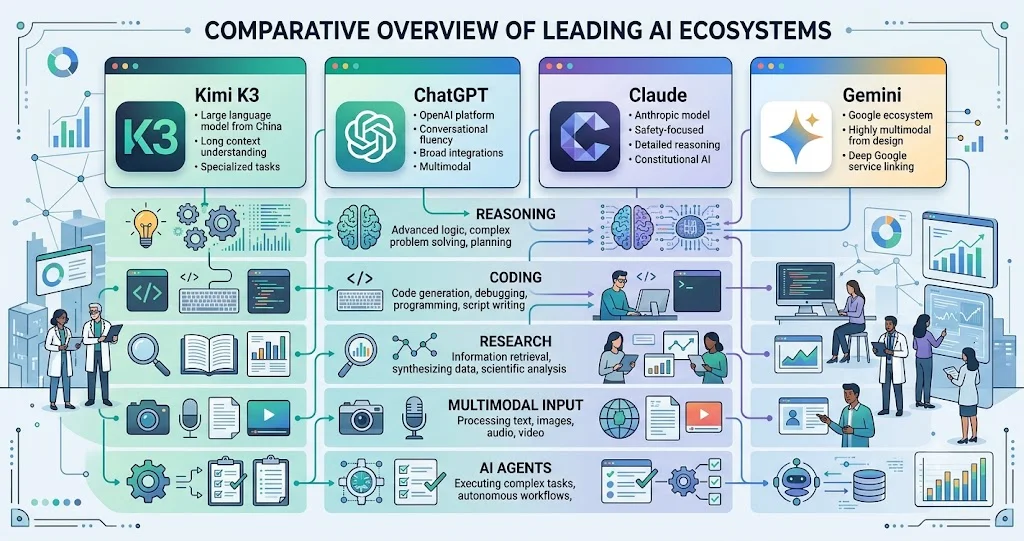
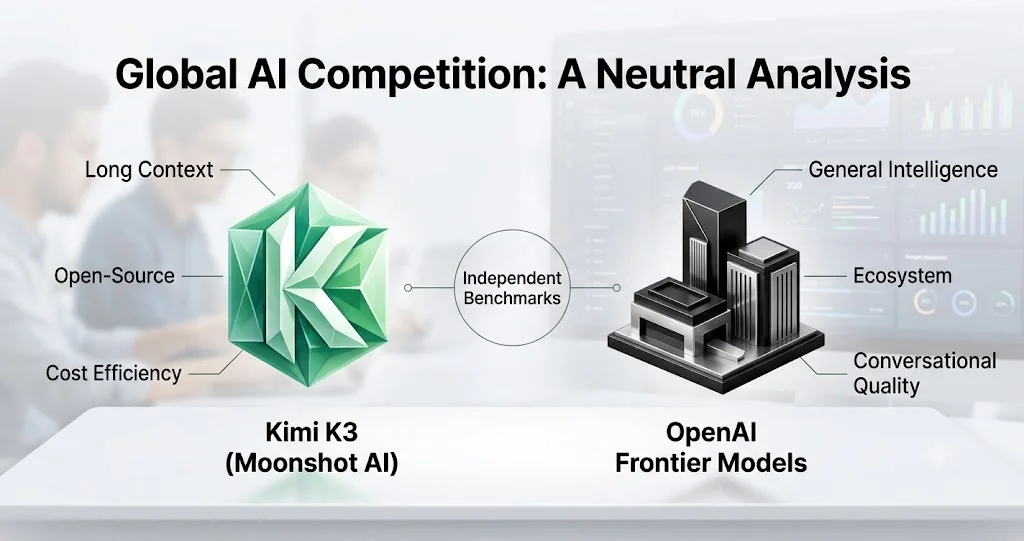
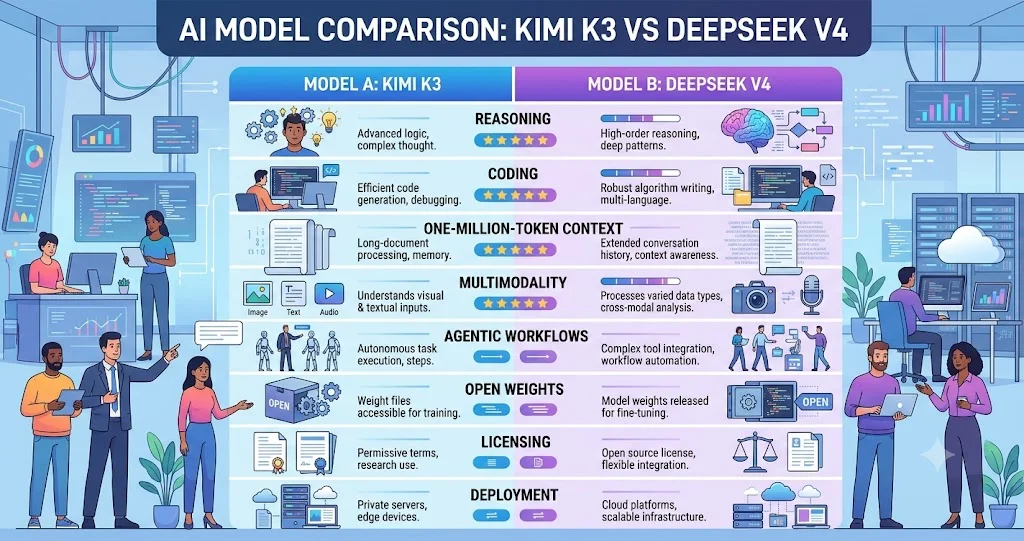
How does Kimi AI compare to other AI assistants?
Kimi AI distinguishes itself through strong long-context processing and comprehensive file upload capabilities, making it particularly suited for document-heavy tasks.
What are the main use cases for Kimi AI?
Kimi AI is commonly used for research assistance, document summarization, cross-referencing information, and general query answering.
Is Kimi AI suitable for professional use?
Yes, Kimi AI's capabilities make it suitable for professional applications, particularly in research, content analysis, and information management roles.
How accurate are Kimi AI's responses?
Accuracy depends on input quality and context, and users should verify critical information through additional sources as with any AI tool.
Conclusion
Kimi AI represents a significant development in the evolution of artificial intelligence assistants, particularly in its emphasis on processing and understanding large volumes of text-based information. Its long-context window, file upload capabilities, and web search integration offer a compelling set of features for users seeking to enhance productivity and information management.
As AI technology continues to evolve, tools like Kimi AI will likely become increasingly sophisticated, offering even more advanced capabilities for personal and professional use. For beginners, understanding Kimi AI's core features, benefits, and limitations provides a foundation for exploring how this assistant might support individual needs and contribute to more efficient information workflows. By staying informed about developments in AI technology, users can make well-informed decisions about integrating these tools into their daily routines.