

 If you are a business owner, manager, or IT professional in 2026, you are probably trying to make sense of the rapidly expanding AI tool landscape. With dozens of new tools launching each month and existing platforms adding AI capabilities, the challenge is no longer whether to adopt AI—it is which tools to choose.
According to the U.S. Chamber of Commerce, 58% of small businesses used generative AI in 2025, up from 40% the previous year. Gartner projects that 40% of enterprise applications will include task-specific AI agents by the end of 2026, up from less than 5% in 2025. The momentum is clear, but so is the confusion.
This guide organizes 20 significant AI tools by business use case. The goal is not to rank tools by popularity—many lists do that already—but to help you understand what each tool is genuinely useful for, where it falls short, and whether it fits your business context. Pricing and features are current as of 2026, but always verify on vendor sites before committing.
How This Guide Is Organized
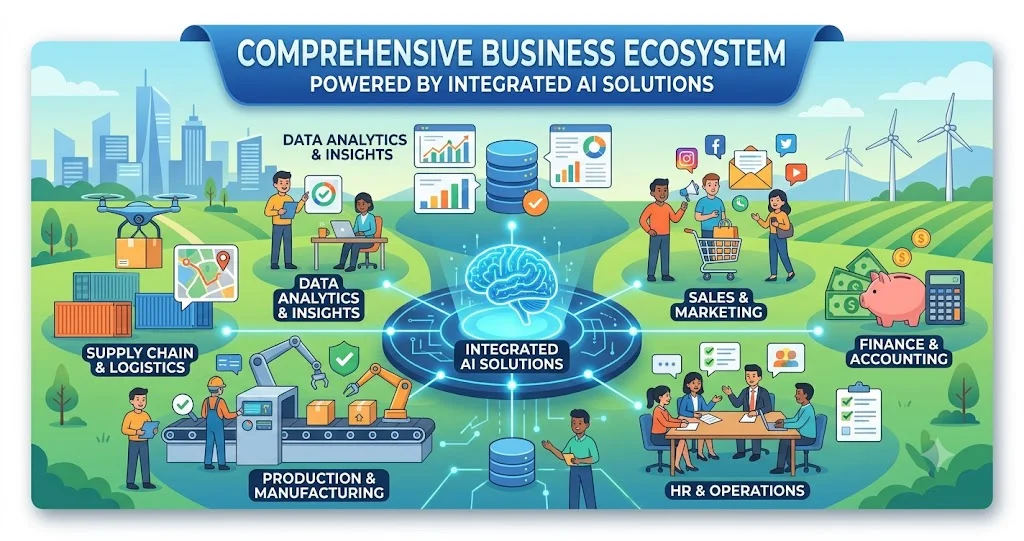
The tools are grouped into nine categories reflecting how businesses actually use AI:
- Productivity and Writing — General-purpose assistants for everyday work
- Research and Knowledge Work — Tools for finding, synthesizing, and organizing information
- Coding and Development — AI for software engineering teams
- Workflow Automation — Connecting apps and automating multi-step processes
- Customer Support and Sales — AI for customer interactions and revenue teams
- Meeting and Communication — Transcription, summarization, and meeting intelligence
- Design and Creative — Visual content, video, and brand assets
- Analytics and Data — Business intelligence and data analysis
- Specialized Business Functions — Finance, HR, legal, and industry-specific tools
Each tool entry includes: what it is useful for, its limitations, who it is best for, integration considerations, and privacy and security considerations.
1. Productivity and Writing
These general-purpose AI assistants are the foundation of most business AI adoption. They handle writing, research, summarization, and analysis across a wide range of tasks.
ChatGPT (OpenAI)
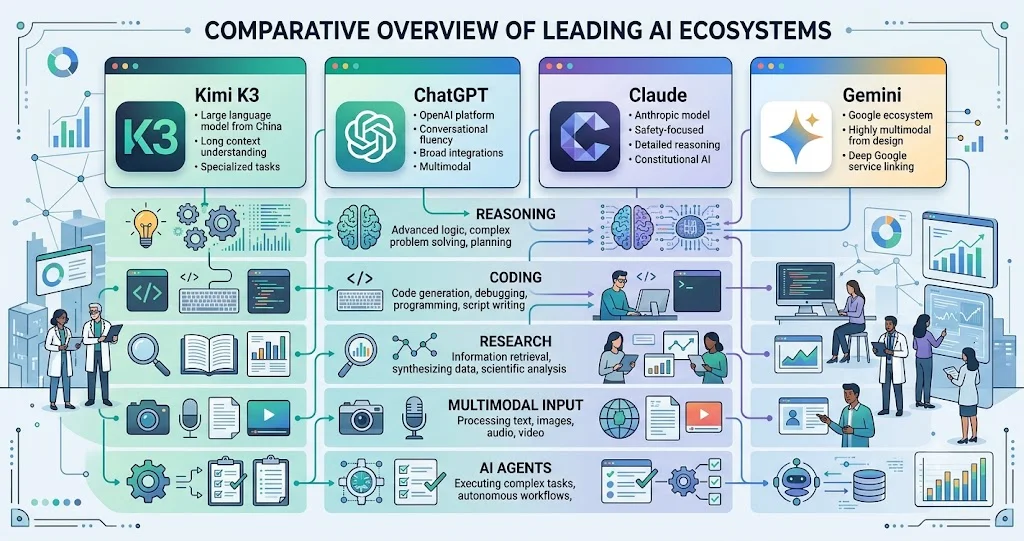
What it is useful for: ChatGPT remains the most versatile AI tool available in 2026. Powered by GPT-5.5 with a 1-million-token context window, it handles writing, analysis, coding, document processing, and image generation within a single interface. Professionals use it to draft emails and reports, summarize PDFs, generate marketing content, analyze spreadsheets, brainstorm business ideas, and automate repetitive writing tasks. The Codex feature provides autonomous coding in a sandboxed environment.
Limitations: OpenAI now offers seven pricing tiers ranging from free (with ads) to $200 per month, and the feature gaps between tiers are not always intuitive. The free plan caps at 10 messages every 5 hours before falling back to a lighter model. The $20-per-month Plus tier hits the sweet spot for most professionals.
Best for: Organizations of all sizes that want a single, versatile AI assistant for diverse tasks. ChatGPT Business ($25/user/month) offers data governance controls, with conversations excluded from model training by default.
Privacy and security: Business and enterprise plans exclude data from model training by default and provide administrative controls for user access and data governance.
Claude (Anthropic)
What it is useful for: Claude is known for handling extremely large documents while maintaining strong reasoning. It excels at reviewing contracts, editing reports, analyzing research papers, writing long-form content, and strategic planning. Claude focuses on coding, knowledge work, and multi-step autonomous tasks. Claude Sonnet 5 can use tools and operate autonomously on multi-step tasks, while Claude Opus 5 targets long-running agents and demanding professional workflows.
Limitations: Claude's enterprise tier is more expensive than some competitors and may require more setup for custom integrations.
Best for: Knowledge workers handling long documents, legal and research teams, and organizations needing strong reasoning capabilities for complex analysis.
Privacy and security: Anthropic offers enterprise-grade security with data isolation and compliance certifications. Conversations can be excluded from model training.
Microsoft Copilot
What it is useful for: Copilot is integrated across Microsoft 365 applications including Word, Excel, Outlook, Teams, and PowerPoint. Users can ask Copilot to analyze Excel data, create PowerPoint presentations, draft emails, summarize Teams meetings, rewrite documents, and generate reports. Its biggest advantage is working inside applications people already use every day. For SMBs already on Microsoft 365, it delivers AI capabilities inside tools employees already use.
Limitations: Copilot is only valuable if your organization already uses Microsoft 365. It does not work well outside the Microsoft ecosystem.
Best for: Microsoft-first organizations that want AI capabilities without introducing new vendor relationships.
Privacy and security: Because Copilot operates within the Microsoft 365 boundary, it respects existing permissions and data residency settings.
Google Gemini
What it is useful for: Gemini has become deeply integrated into Gmail, Google Docs, Sheets, Slides, and Drive. Popular features include email drafting, spreadsheet analysis, meeting summaries, research assistance, and AI-generated presentations. Google aims to develop Gemini beyond a standard chatbot and into an agentic AI platform. Gemini Spark can operate across Google Workspace applications.
Limitations: Gemini is most useful for organizations already in Google Workspace. Outside that ecosystem, its value diminishes significantly.
Best for: Teams already operating within Google's ecosystem.
Privacy and security: Google offers enterprise-grade security with data isolation, compliance certifications, and administrative controls.
Grammarly
What it is useful for: Grammarly helps professionals rewrite content, adjust tone, improve clarity, generate emails, create business documents, and detect inconsistencies. It serves as an editing and polish layer across business writing.
Limitations: Grammarly is primarily an editing and refinement tool, not a content generation platform. It works best on text that already exists.
Best for: Any business that produces written content—emails, proposals, reports, marketing materials—and needs consistency and clarity.
Privacy and security: Grammarly Business offers data isolation and administrative controls. Organizations should review data handling policies before use.
2. Research and Knowledge Work
These tools help businesses find, synthesize, and organize information from internal and external sources.
Perplexity AI
What it is useful for: Unlike traditional search engines, Perplexity combines web search with AI-generated answers and citations. Users rely on it for market research, fact-checking, academic research, news summaries, and industry analysis. Perplexity is moving from AI-powered search to becoming an agentic platform for research and work, operating across the web, files, and Microsoft 365.
Limitations: Perplexity is a research assistant, not a general-purpose AI. It is less suited for content creation or complex analysis.
Best for: Researchers, analysts, and any professional who needs to quickly find and verify information from across the web.
Privacy and security: Perplexity offers enterprise plans with data isolation. Users should verify data handling policies for business use.
Glean
What it is useful for: Glean is a corporate search and knowledge agent that indexes Slack, Drive, Confluence, and other internal systems. It helps employees find information across scattered business applications.
Limitations: Glean requires significant setup to index all relevant internal systems. It is best for larger organizations with diverse tool stacks.
Best for: Organizations with multiple internal systems where employees struggle to find information.
Privacy and security: Glean respects existing permissions and access controls. Data is indexed but not used for model training.
Notion AI
What it is useful for: Notion AI is a productivity agent within the Notion workspace. It can summarize meeting notes, write project documentation, create task lists, generate action items, and answer questions across company documents. Many startups use Notion AI as an internal knowledge assistant.
Limitations: Notion AI is only valuable if your organization already uses Notion as a documentation and project management platform.
Best for: Teams that already manage documents and databases in Notion.
Privacy and security: Notion offers enterprise-grade security with data isolation and compliance certifications.
3. Coding and Development
AI coding tools have become one of the most mature categories of AI for business, with agents capable of executing complete engineering tasks with minimal human supervision.
GitHub Copilot
What it is useful for: GitHub Copilot is the most widely adopted AI coding assistant, functioning as a pair programmer. In 2026, it is expanding into agentic workflows, executing pull requests autonomously. It remains the safest enterprise default for code assistance.
Limitations: Copilot is best for developers already on GitHub Enterprise. Its agentic capabilities are still evolving.
Best for: Enterprise development teams already using GitHub.
Privacy and security: GitHub Copilot Enterprise offers data isolation and compliance with enterprise security requirements.
Cursor
What it is useful for: Cursor has become one of the fastest-growing AI coding tools. It is an AI-native IDE where developers write code, debug applications, explain codebases, generate documentation, and refactor software. Its deep understanding of entire projects makes it a favorite among engineers.
Limitations: Cursor is a full IDE replacement, not a plugin. Teams must be willing to switch from their current development environment.
Best for: Developers who prefer an AI-native IDE experience over a plugin-based approach.
Privacy and security: Cursor offers enterprise plans with data isolation. Code is processed but not used for model training on paid plans.
OpenAI Codex
What it is useful for: Codex is OpenAI's autonomous coding agent that works in a sandboxed environment. It handles autonomous coding tasks and is recognized as a Gartner Magic Quadrant leader.
Limitations: Codex requires integration with OpenAI's ecosystem and is best for teams already using OpenAI's platform.
Best for: Teams that want autonomous coding capabilities within the OpenAI ecosystem.
Privacy and security: Codex operates in a sandboxed environment. Enterprise plans offer data isolation.
4. Workflow Automation
These platforms automate multi-step workflows across business applications, replacing traditional rules-based automation with AI-driven decision-making.
Zapier
What it is useful for: Zapier is one of the most widely adopted workflow automation platforms, with AI features layered on top of its core connector library. It links thousands of applications without requiring code. AI features include natural-language workflow building and AI agents that perform multi-step tasks across applications. Zapier Agents have over 7,000 native integrations.
Limitations: Zapier's pricing scales with usage, which can become expensive for high-volume automations. Complex workflows may require technical expertise.
Best for: SMBs that need broad integration coverage and want to start with simple automations before scaling up.
Privacy and security: Zapier offers enterprise-grade security with data encryption and compliance certifications. Organizations should review data handling for sensitive workflows.
Make (formerly Integromat)
What it is useful for: Make focuses on visual automations with AI components accessible to non-technical users. It offers a visual interface for building complex workflows across applications.
Limitations: Make's visual approach can become complex for very large workflows. Pricing scales with usage.
Best for: Teams that prefer visual workflow building over code-based approaches.
Privacy and security: Make offers enterprise-grade security with data encryption and compliance certifications.
n8n
What it is useful for: n8n is the most robust open-source alternative for workflow automation, with visual architecture and support for multi-agent workflows. It is ideal for organizations that want to self-host and maintain control over their automation infrastructure.
Limitations: n8n requires technical expertise to set up and maintain, especially for self-hosted deployments.
Best for: Organizations with technical teams that want open-source, self-hosted automation.
Privacy and security: Self-hosted n8n gives organizations complete control over data and infrastructure.
5. Customer Support and Sales
AI tools in this category handle customer interactions, lead qualification, sales intelligence, and CRM workflows.
Zendesk AI
What it is useful for: Zendesk has expanded its AI Agents to operate across messaging, voice, and external AI. The company also offers Agent Copilot, Admin Copilot, Knowledge Copilot, and Analyst Copilot for different service or operational roles. Zendesk replaces deflection bots with specialized AI agents billed only on outcomes the company verifiably resolves.
Limitations: Zendesk AI is best for organizations already using Zendesk's help desk platform. Pricing is outcome-based, which can be unpredictable.
Best for: Customer support teams already using Zendesk who want to add AI capabilities.
Privacy and security: Zendesk offers enterprise-grade security with data encryption and compliance certifications.
HubSpot
What it is useful for: HubSpot is a CRM platform with AI features layered across its marketing, sales, and service tools. AI components include content generation, lead scoring, predictive analytics, and conversational chatbots for website visitors. For SMBs already using HubSpot, the AI features extend existing workflows. HubSpot Breeze is the AI layer for CRM and marketing in one system.
Limitations: HubSpot AI is most valuable for organizations already using HubSpot's CRM. The free tier has significant limitations.
Best for: SMBs that want AI capabilities embedded in their existing customer relationship workflows.
Privacy and security: HubSpot offers enterprise-grade security with data encryption and compliance certifications.
Salesforce Agentforce
What it is useful for: Agentforce is Salesforce's AI agent platform for CRM. ServiceNow's Autonomous CRM platform, launched in May 2026, fields industry-specific AI workflows for government, finance, telco, healthcare, and retail.
Limitations: Agentforce is best for organizations already using Salesforce. Implementation requires significant setup.
Best for: Salesforce-centric organizations that want to add AI agents to their CRM workflows.
Privacy and security: Salesforce offers enterprise-grade security with data isolation and compliance certifications.
6. Meeting and Communication
These tools transcribe, summarize, and extract insights from meetings and conversations.
Otter.ai
What it is useful for: Otter automatically records and summarizes meetings. Features include live transcription, AI summaries, action items, speaker identification, and searchable meeting history. It eliminates the need for manual note-taking.
Limitations: Otter is primarily a meeting transcription tool. It does not generate content or perform other business functions.
Best for: Any team that has regular meetings and wants to eliminate manual note-taking.
Privacy and security: Otter offers enterprise plans with data isolation. Organizations should review data handling policies for sensitive meetings.
ZoomMate
What it is useful for: ZoomMate is an agentic AI work surface that turns meetings into finished work, automatically creating presentations, documents, spreadsheets, reports, and project plans from meeting conversations. It searches enterprise third-party tools like Jira or ServiceNow and generates presentations and spreadsheets.
Limitations: ZoomMate is only available for Zoom users. It requires integration with existing enterprise tools.
Best for: Organizations using Zoom that want to turn meeting conversations into actionable deliverables.
Privacy and security: Zoom offers enterprise-grade security with data encryption and compliance certifications.
7. Design and Creative
AI tools for visual content, video, and brand assets are becoming essential for marketing and communications teams.
Canva AI
What it is useful for: Canva has evolved into an AI-powered design platform capable of generating presentations, social media graphics, marketing materials, videos, brand assets, and images. Its Magic Studio features allow users to create professional designs without advanced design skills.
Limitations: Canva AI is best for marketing and social media content, not for professional-grade design work requiring advanced tools.
Best for: Marketing teams and non-designers who need to create professional-looking visual content quickly.
Privacy and security: Canva offers enterprise plans with data isolation. Organizations should review data handling for brand assets.
Claude Design (Anthropic)
What it is useful for: Claude Design is an AI-native visual design tool powered by Claude Opus 4.7. It turns plain text prompts into polished websites, landing pages, pitch decks, product mockups, and marketing collateral. It is available in research preview for Claude Pro, Max, Team, and Enterprise subscribers.
Limitations: Claude Design is still in research preview and may have feature gaps compared to established design tools.
Best for: Teams already using Claude that want AI-powered design capabilities.
Privacy and security: Anthropic offers enterprise-grade security with data isolation.
Synthesia
What it is useful for: Synthesia is the strongest fit for business avatar, training, and multilingual corporate video. It is used for enterprise training, enablement, and internal communications.
Limitations: Synthesia is specialized for avatar-based video, not general video creation.
Best for: Training, HR, and internal communications teams that need to produce video content at scale.
Privacy and security: Synthesia offers enterprise-grade security with data isolation and compliance certifications.
8. Analytics and Data
AI-powered business intelligence tools help organizations analyze data and generate insights without requiring data science expertise.
Microsoft Power BI + Copilot
What it is useful for: Power BI with Copilot brings AI capabilities to business intelligence, allowing users to ask questions in natural language and receive data insights. It is best for teams locked into Microsoft.
Limitations: Power BI is most valuable for organizations already using Microsoft's ecosystem.
Best for: Teams already using Power BI who want to add AI-powered analytics.
Privacy and security: Microsoft offers enterprise-grade security with data isolation and compliance certifications.
Tableau + Pulse
What it is useful for: Tableau with Pulse provides AI-powered analytics and data visualization. Tableau Agentic Analytics Platform, announced in May 2026, includes a Knowledge Engine, Conversational Analytics, Headless Analytics, Decision Engine, and Agentic Analytics Command Center.
Limitations: Tableau is best for organizations already using the platform. Implementation requires data preparation.
Best for: Data-driven organizations that need advanced visualization and AI-powered analytics.
Privacy and security: Tableau offers enterprise-grade security with data isolation and compliance certifications.
ThoughtSpot Spotter
What it is useful for: ThoughtSpot Spotter is an AI-powered analytics platform that allows users to ask questions in natural language and receive data insights. It is part of the broader trend toward agentic analytics.
Limitations: ThoughtSpot requires data preparation and may have a learning curve for non-technical users.
Best for: Organizations that want natural-language access to business data without relying on data teams.
Privacy and security: ThoughtSpot offers enterprise-grade security with data isolation and compliance certifications.
9. Specialized Business Functions
These tools address specific business functions such as finance, HR, and legal.
Intuit Assist (QuickBooks)
What it is useful for: Intuit Assist is QuickBooks' AI-powered bookkeeping assistant. It helps with automated categorization, reconciliation, and financial insights.
Limitations: Intuit Assist is only available for QuickBooks users and is focused on bookkeeping, not broader financial analysis.
Best for: Small businesses using QuickBooks that want AI-powered bookkeeping assistance.
Privacy and security: Intuit offers enterprise-grade security with data encryption and compliance certifications.
Gusto's Gus AI
What it is useful for: Gus AI is Gusto's AI assistant for payroll and HR questions. It automates common payroll and HR inquiries.
Limitations: Gus is only available for Gusto users and is focused on payroll and HR, not broader business functions.
Best for: Businesses using Gusto for payroll and HR that want AI-powered assistance.
Privacy and security: Gusto offers enterprise-grade security with data encryption and compliance certifications.
How to Choose Which AI Tools to Adopt
With so many options, a systematic approach to selection is essential:
- Start with a specific use case. Identify one high-value workflow where AI can make a measurable difference—customer support ticket triage, lead qualification, or meeting summarization are good starting points.
- Evaluate integration with existing tools. The best AI tool is one that works with the systems you already use. Microsoft Copilot is valuable only if you use Microsoft 365. Gemini is valuable only if you use Google Workspace.
- Assess privacy and security requirements. Data handling policies vary significantly between tools and tiers. Business and enterprise plans typically offer data isolation, while free or consumer plans may use data for model training.
- Test with a pilot. Run a small-scale pilot with one team or one workflow before committing to organization-wide adoption. Measure time saved and quality improvements.
- Consider the total cost. Subscription costs are only part of the equation. Factor in implementation time, training, ongoing maintenance, and usage-based costs that can scale with volume.
Frequently Asked Questions
What are the best AI tools for small businesses in 2026?
The best AI tools depend on your specific use case. For general productivity, ChatGPT Business or Microsoft Copilot are strong starting points. For workflow automation, Zapier is widely accessible. For customer support, Zendesk AI or HubSpot offer integrated solutions. For design, Canva AI is approachable for non-designers.
How much do AI tools for business cost in 2026?
Pricing varies widely. General-purpose AI assistants like ChatGPT Plus cost $20 per month, while business tiers range from $25 to $50 per user per month. Workflow automation platforms like Zapier start free and scale with usage. Customer support AI like Intercom Fin charges per resolution. Always verify current pricing on vendor sites.
Are AI tools secure for business use?
Most major AI platforms offer business and enterprise tiers with data isolation, meaning your data is not used for model training. However, free or consumer tiers may use data for training. Organizations should review privacy policies, opt out of data training where available, and consider data handling requirements before adoption.
Which AI tool is best for productivity?
ChatGPT remains the most versatile AI productivity tool in 2026, with a 1-million-token context window and capabilities across writing, analysis, coding, and document processing. Microsoft Copilot is best for Microsoft 365 shops. Google Gemini is best for Google Workspace users.
Can AI tools replace employees?
AI tools are best understood as productivity multipliers rather than replacements. They handle repetitive, structured tasks—transcribing meetings, drafting emails, categorizing data—freeing employees for higher-value work that requires judgment, creativity, and relationship-building.
How do I know if an AI tool is worth the investment?
Run a small-scale pilot with a specific, measurable workflow. Track time saved and quality improvements. If the tool saves at least 5-10 hours per week for your team or improves customer response times meaningfully, it is likely worth the investment.
Conclusion
The AI tool landscape in 2026 is vast and growing rapidly. Rather than trying to evaluate every tool, focus on the use cases that matter most to your business. Start with one or two tools that address your highest-priority workflows, pilot them, measure results, and scale from there. The tools in this guide represent the most significant options across key business functions, but the right choice for your organization depends on your specific needs, existing systems, and privacy requirements.
As Gartner projects that 40% of enterprise applications will include task-specific AI agents by the end of 2026, the question is not whether to adopt AI—it is which tools to adopt and how to implement them effectively. Start small, learn fast, and let the results guide your next steps.