
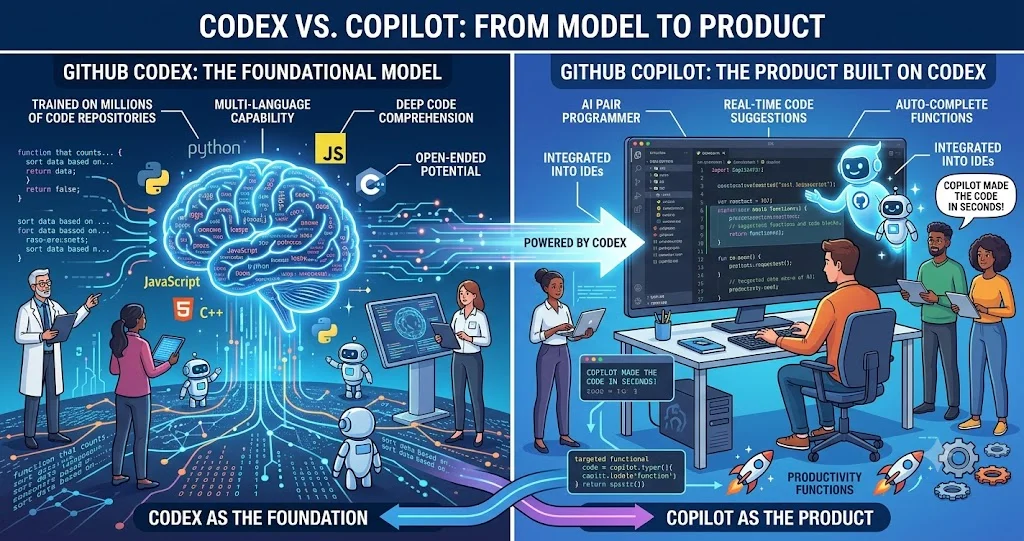
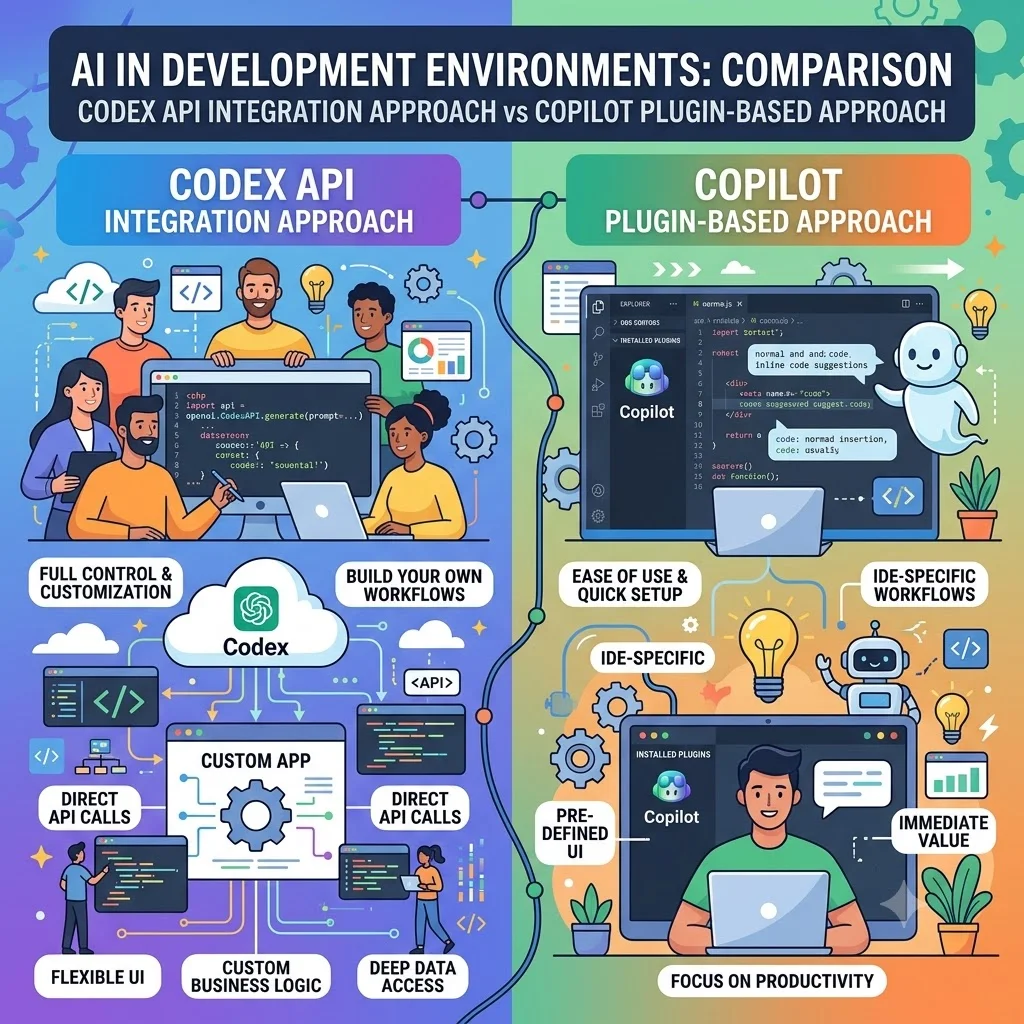
OpenAI Codex and GitHub Copilot are no longer separated by a simple “agent versus autocomplete” distinction. Both can generate code, understand repositories, execute development tasks, work from the terminal, and participate in increasingly autonomous software workflows. The more useful comparison is where each product fits into an engineering team's existing workflow.
OpenAI describes Codex as an AI coding agent that helps developers write, review, and ship code. It is available through Codex clients including the desktop app, CLI, IDE extension, and web, with ChatGPT account integration. GitHub Copilot, meanwhile, spans GitHub.com, IDEs, CLI, cloud agents, code review, and organizational tooling.
OpenAI Codex vs GitHub Copilot at a glance
| Area | OpenAI Codex | GitHub Copilot |
|---|---|---|
| Primary orientation | Agentic software development across OpenAI's coding environments | GitHub-centered AI development platform across IDEs, GitHub, CLI, and cloud agents |
| Code generation | Strong focus on implementing features and modifying repositories | Inline completion, chat, agent mode, and broader coding assistance |
| Agentic development | Can navigate repositories, edit files, run commands, and execute tests | Agent mode and cloud agent can plan and execute multi-step development tasks |
| IDE workflow | IDE extension plus Codex app and other supported development environments | Broad support including VS Code, Visual Studio, JetBrains, Xcode, Eclipse, and others |
| Terminal | Codex CLI is a central workflow | Copilot CLI provides conversational and agentic terminal workflows |
| Code review | Codex supports repository and pull-request review workflows | GitHub-native Copilot code review integrates directly with pull requests |
| Model choice | Centered on OpenAI's Codex model family and available OpenAI models | Supports model selection across multiple providers and models |
| GitHub integration | Works with GitHub repositories and can be connected through Codex workflows | GitHub is the native platform and system of record |
| Team governance | ChatGPT Business, Enterprise, and Edu controls apply according to workspace setup | Business and Enterprise plans provide GitHub-native policy, management, and organizational controls |
The real difference: coding agent versus developer platform
The biggest conceptual difference is not raw code generation. It is product scope.
Codex is built around the idea of giving an AI coding agent enough context and tools to carry out software-engineering tasks. OpenAI says Codex can work in the terminal, IDE, web, and ChatGPT, and describes workflows in which it navigates repositories, edits files, runs commands, and executes tests.
GitHub Copilot is broader at the platform level. GitHub provides Copilot inside multiple development environments, on GitHub itself, through its CLI, and through cloud-agent and code-review workflows. GitHub also provides model selection and organization-oriented features.
This distinction matters for teams. A solo developer may care primarily about how well an agent can take a feature request and turn it into tested code. An engineering organization may care just as much about pull requests, repository permissions, review policies, model controls, billing, auditability, and how the assistant fits into an existing GitHub workflow.
Code generation: both go beyond autocomplete
Traditional Copilot usage is associated with inline code completion, but the current product goes considerably further. GitHub documents agent mode in supported IDEs as a workflow in which Copilot can determine which files need changes, propose terminal commands for approval, and iterate toward completion.
Codex similarly targets tasks larger than individual code snippets. OpenAI describes Codex as an agent that can start from a prompt or specification, navigate a repository, modify files, run commands, and execute tests.
For a request such as “add pagination to this API, update the tests, and fix any failures,” both products can potentially operate at the task level rather than merely returning a code block.
The practical difference is therefore not can it generate code? Both can. The better question is where do you want the agent to operate?
Agentic development and repository understanding
Agentic coding changes the developer's role. Instead of asking for one function at a time, you can give the system a goal and allow it to inspect the repository, decide which files matter, execute development commands, and iterate.
Codex is explicitly designed around this model. OpenAI lists use cases such as understanding large codebases, tracing request flows, scanning code changes for security regressions, and following durable engineering objectives.
Copilot has a comparable agentic direction. GitHub describes Copilot agents as systems that can independently execute tasks across the software-development lifecycle. Its CLI includes specialized agent capabilities for exploration, task execution, code review, and research across a codebase and the web.
There is no reliable basis for saying that one product will understand every repository better than the other. Repository size, language, architecture, tests, instructions, model selection, context, and task quality all affect results. The meaningful distinction is the surrounding workflow and controls.
IDE integration
GitHub Copilot has an unusually broad IDE footprint. GitHub currently lists support across VS Code, Visual Studio, Xcode, JetBrains IDEs, Eclipse, Neovim, Zed, and other environments.
Codex provides an IDE extension alongside its CLI, desktop app, and web experiences. OpenAI's current documentation describes Codex as available across terminal, IDE, web, and app workflows.
For a developer who spends most of the day inside Visual Studio, JetBrains, or another established IDE, Copilot's broad editor integration can be a practical advantage. For a developer who prefers an agent-centric workflow that moves between terminal, IDE, desktop app, and cloud tasks, Codex's cross-environment model may be more attractive.
Terminal workflows
Terminal-based development is now a first-class AI coding workflow for both products.
Codex CLI is an open-source command-line tool that can read, modify, and run code locally. OpenAI describes it as a lightweight coding agent for building features, fixing bugs, and understanding unfamiliar code. It also supports multimodal inputs such as screenshots and diagrams.
GitHub Copilot CLI similarly works directly in the terminal. GitHub says it can answer questions, write and debug code, interact with GitHub, and perform agentic tasks. Its current CLI also includes custom agents for exploration, tasks, code review, and research.
Copilot has an additional advantage for teams that already use GitHub heavily because the CLI can operate as part of the same GitHub-centered ecosystem. Codex is more naturally aligned with developers who want the OpenAI agent itself to be the center of the terminal workflow.
Debugging and testing
Both tools can participate in debugging rather than simply suggesting replacement code.
Codex can run commands and tests as part of an agentic task, allowing a workflow such as inspect the failure, modify the implementation, run the relevant test suite, and iterate. OpenAI explicitly describes this repository-level execution model.
Copilot's IDE agent mode and CLI can likewise execute commands with appropriate user approval and iterate on a task. GitHub's documentation says agent mode can offer terminal commands for approval and continue working to remediate issues.
Neither should be treated as an autonomous replacement for engineering validation. Passing tests are evidence that specific checks succeeded; they do not establish that an implementation is correct, secure, maintainable, or suitable for production.
Code review: an important point of separation
Code review is one area where GitHub Copilot has a particularly native workflow because pull requests already live inside GitHub.
GitHub Copilot code review can review pull requests, identify issues, and suggest changes that developers can apply. GitHub documents support for reviews across GitHub.com, GitHub CLI, GitHub Mobile, VS Code, Visual Studio, Xcode, JetBrains IDEs, and Azure DevOps in public preview.
GitHub also supports automatic review configurations and different review effort levels. The review system uses a purpose-built model and workflow rather than simply exposing the same model-selection interface used by Copilot Chat.
Codex also supports code-review workflows. OpenAI says Codex can review pull requests and, when connected to a GitHub repository, analyze changes and provide review feedback.
The distinction is important: Codex can participate in GitHub review, while Copilot is structurally embedded in GitHub's pull-request workflow. For a GitHub-first engineering organization, that native integration can simplify adoption and administration.
Automation and longer-running tasks
Modern coding agents are increasingly useful for work that would traditionally be divided into many manual steps.
Codex supports cloud and local workflows, allowing developers to delegate tasks rather than keeping every operation in an interactive coding session. OpenAI presents use cases involving durable objectives, security scanning, codebase analysis, dependency audits, and automation.
GitHub Copilot provides both IDE agent mode and a cloud agent. GitHub describes the cloud agent as capable of research, planning, and coding work independently within the developer's existing GitHub workflow.
Copilot CLI also supports programmatic use and custom agents, making it possible to define specialized workflows for repositories or organizations. Custom agents can be defined at user, repository, organization, or enterprise scope.
For teams building repeatable engineering automation, those organizational scopes can matter as much as model quality.
Model access and model choice
This is one of the clearest differences in philosophy.
Codex is an OpenAI product built around OpenAI's coding models and related OpenAI capabilities. Its product experience is intended to provide a consistent coding-agent workflow across OpenAI's supported clients.
GitHub Copilot takes a model-aggregation approach. GitHub's current documentation allows users to select among available models, and the Copilot CLI documentation lists models from multiple providers alongside OpenAI coding models.
This creates a practical choice:
- Prefer a focused OpenAI coding-agent experience: Codex is the more direct choice.
- Want to compare or switch among available model providers: Copilot provides a broader model-selection layer.
There is an important wrinkle: GitHub Copilot's current paid plans can include access to third-party agents, including Codex. That means “Codex versus Copilot” is no longer always a mutually exclusive choice.
GitHub integration and repository workflows
If your engineering organization treats GitHub as the central system for source control, issues, pull requests, reviews, and collaboration, Copilot has an obvious structural advantage: the AI layer is part of the same platform.
Copilot can work across GitHub.com, pull requests, code review, CLI, IDEs, and cloud-agent workflows. GitHub also offers Copilot Spaces for organizing code, documentation, specifications, and other context that can ground Copilot responses.
Codex can also work with GitHub repositories and GitHub-based development. OpenAI's current Codex product describes GitHub as one of the environments in which Codex can operate.
The difference is therefore not whether Codex can work with GitHub. It can. The difference is that GitHub Copilot is designed as part of the GitHub platform itself.
Team features, governance, and enterprise use
For engineering teams, AI coding quality is only one selection criterion. Administration and governance can determine whether a tool is practical to deploy.
GitHub provides Business and Enterprise Copilot plans with organization-level management and AI-credit controls. GitHub says Enterprise adds capabilities such as deeper GitHub.com integration and repository indexing for more tailored suggestions.
Codex is available across ChatGPT plans, with usage limits varying by plan, and OpenAI provides workspace controls for Business, Enterprise, and Edu environments. OpenAI also documents controls around model defaults, reasoning level, speed, and related workspace settings.
For enterprise selection, the right comparison should therefore include identity management, data handling, policy controls, audit requirements, repository permissions, usage limits, and procurement terms—not just the quality of generated code.
Current pricing and availability
Pricing changes frequently, so it should be checked immediately before purchase. As of the current published GitHub plan information, GitHub Copilot offers Free, Pro at $10 per user per month, Pro+ at $39, and Max at $100 for individual plans. GitHub also lists Business at $19 per granted seat per month and Enterprise at $39.
OpenAI currently states that Codex is included across ChatGPT plans, including Free and Go, with usage limits varying by plan. Higher-usage options and business credit arrangements depend on the applicable plan.
Because Codex can also be available through GitHub Copilot as a third-party agent on eligible plans, comparing subscription prices alone can be misleading. The relevant question is what combination of models, agent usage, credits, IDE access, cloud tasks, review features, and organizational controls your team actually needs.
Which tool fits which developer?
| Developer situation | More natural starting point | Reason |
|---|---|---|
| Solo developer wanting an OpenAI coding agent | Codex | The product is directly centered on an OpenAI coding-agent workflow. |
| Developer who works mainly in GitHub | GitHub Copilot | GitHub, pull requests, review, CLI, and cloud-agent workflows are integrated into the platform. |
| Developer who wants multiple model providers | GitHub Copilot | Copilot provides model selection across available models and providers. |
| Terminal-first engineer | Either | Both have capable agentic CLI workflows; choose based on ecosystem and model preferences. |
| Team focused on GitHub pull-request review | GitHub Copilot | Copilot code review is directly integrated into GitHub's PR workflow. |
| Engineer wanting Codex specifically | Codex | Direct access to Codex provides the most straightforward OpenAI-centered experience. |
| Organization requiring broad GitHub governance | GitHub Copilot | Business and Enterprise plans are built around GitHub organization management. |
| Team evaluating different AI agents | GitHub Copilot may be useful | Eligible Copilot plans can expose third-party agents, including Codex, reducing the need for a strict either-or decision. |
What neither tool should replace
Agentic coding can reduce repetitive work, but it does not remove engineering responsibility.
AI-generated code should still go through normal tests, code review, dependency checks, security controls, and production validation. An agent may correctly execute a requested change while misunderstanding an architectural constraint, business rule, performance requirement, or security boundary.
This becomes more important as agents gain permission to run commands and modify repositories. OpenAI describes Codex as operating with controls around execution and approvals, while GitHub provides permission and approval mechanisms for agentic workflows.
A good engineering process therefore treats AI agents as contributors with controlled permissions rather than as autonomous owners of the codebase.
How to choose: a practical decision framework
- Start with your source of truth. If GitHub is the center of your development lifecycle, Copilot has a natural advantage. If you primarily want an OpenAI coding agent across terminal, IDE, and cloud workflows, Codex is a strong fit.
- Decide whether model choice matters. If you want to switch among multiple available providers, Copilot's model-selection layer is useful.
- Look at your review process. Teams that depend heavily on GitHub pull requests may benefit from Copilot's native review workflow.
- Measure agentic work, not autocomplete alone. Test representative tasks such as debugging, refactoring, test generation, repository exploration, and multi-file feature implementation.
- Check governance before deployment. Review permissions, data controls, usage limits, credit systems, and administrator policies.
- Consider using both. Current product overlap means an organization does not necessarily have to choose one exclusively. In particular, GitHub Copilot's support for third-party agents can include Codex on eligible plans.
Frequently asked questions
Is OpenAI Codex the same as GitHub Copilot?
No. Codex is OpenAI's coding-agent product, while GitHub Copilot is GitHub's broader AI developer platform. They overlap substantially, and eligible Copilot plans can provide access to Codex as a third-party agent, but the products have different platform strategies.
Can GitHub Copilot use Codex?
Yes. GitHub's current individual Copilot Pro plan lists access to third-party agents including Codex. Availability and usage depend on the applicable Copilot plan.
Is Codex better than GitHub Copilot for coding?
There is no universal winner. Codex is a strong fit for developers who specifically want OpenAI's coding agent across terminal, IDE, and cloud workflows. Copilot is particularly well suited to GitHub-centered development, broad IDE support, model selection, and integrated code review. The best choice depends on the team's workflow rather than a single code-generation benchmark.
Which is better for Visual Studio?
GitHub Copilot has a well-established Visual Studio integration and supports agent mode in supported environments. Codex also offers IDE-based workflows, but teams whose daily development process is deeply integrated with GitHub and Visual Studio may find Copilot's ecosystem more direct.
Does Codex work in the terminal?
Yes. Codex CLI is designed specifically for terminal-based agentic coding and can read, modify, and run code locally.
Does GitHub Copilot have a terminal agent?
Yes. GitHub Copilot CLI provides conversational and agentic terminal workflows, including codebase exploration, task execution, code review, and research capabilities.
Which is better for code review?
For GitHub pull requests, Copilot has a particularly direct workflow because code review is integrated into GitHub. Codex also supports code-review workflows and can work with GitHub repositories. The choice should depend on how your review process, repository hosting, and team governance are organized.
Should a development team use both?
Potentially. Because the tools overlap and Copilot can expose third-party agents such as Codex on eligible plans, teams can choose different agents for different tasks. The trade-off is additional cost, configuration, governance, and workflow complexity.
Bottom line
OpenAI Codex and GitHub Copilot are better understood as overlapping ecosystems rather than direct substitutes. Codex is centered on an OpenAI coding agent that can work across terminal, IDE, desktop, web, and cloud workflows. GitHub Copilot is centered on bringing AI assistance into the GitHub development lifecycle, while also supporting multiple models, agent modes, CLI workflows, cloud agents, and code review.
For an individual developer who wants an OpenAI-first coding agent, Codex is the more direct choice. For a GitHub-centered team that values native pull requests, repository workflows, broad IDE coverage, model selection, and organizational controls, Copilot may fit better. And because the products now overlap—including Codex availability inside eligible Copilot plans—the most useful evaluation is often a workflow test rather than a brand-versus-brand contest.