
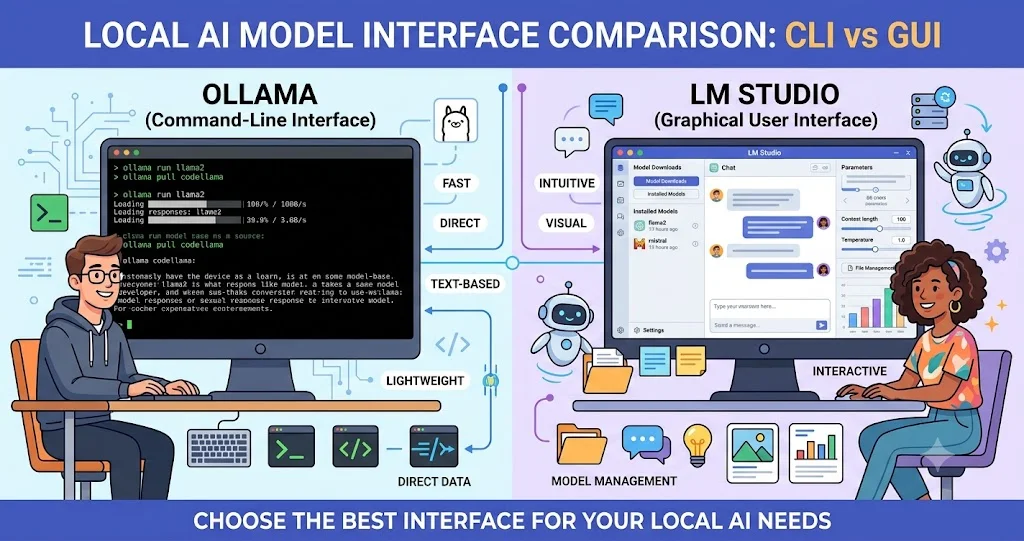
Ollama and LM Studio are not AI models themselves. They are tools for downloading, managing, loading, serving, and interacting with models that can run on your own hardware. That distinction matters because the quality of the answers you receive depends heavily on the model you choose, its parameter size and quantization, context settings, and the hardware available to the runtime.
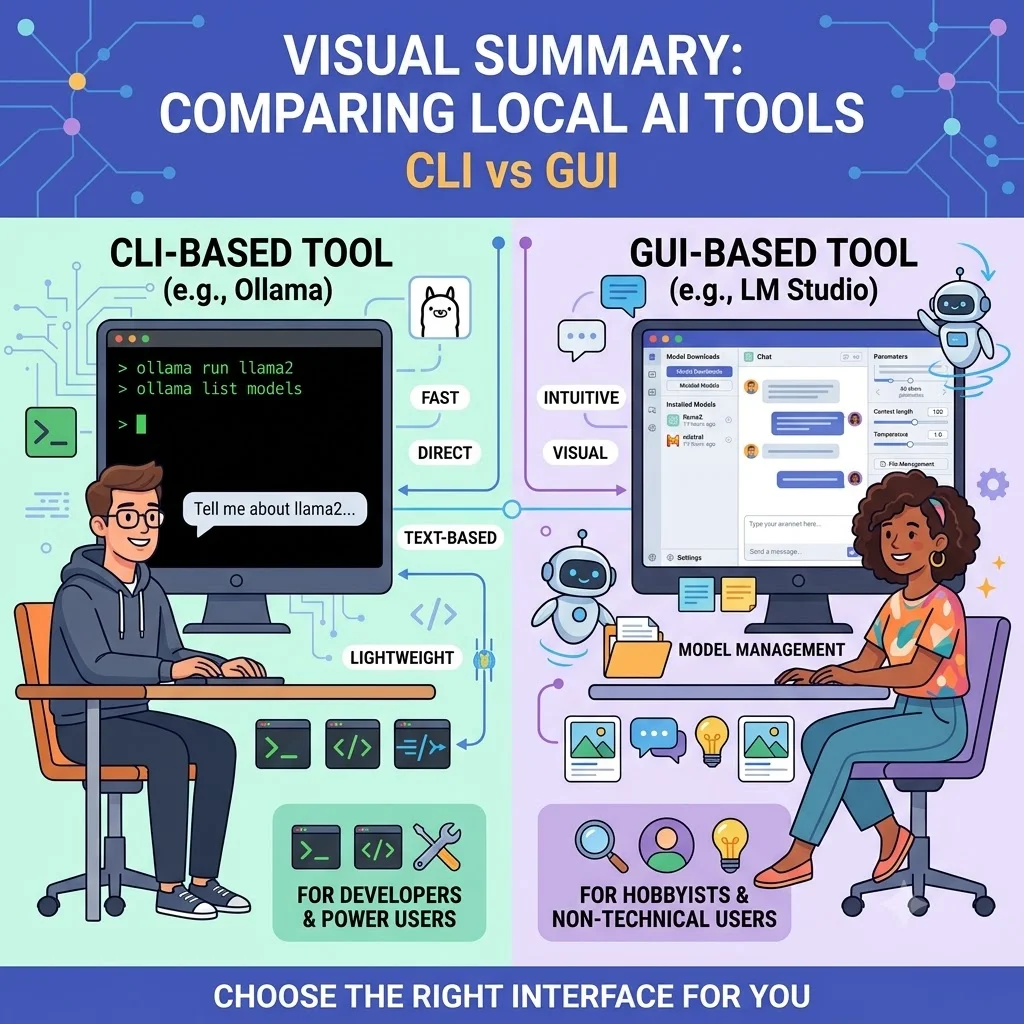
The practical difference is mainly about workflow. Ollama is particularly comfortable for developers who want a terminal-first runtime, local API, automation, containers, and integrations with coding tools. LM Studio is particularly approachable for people who want a graphical model manager and chat application while still having access to APIs, CLI tooling, and headless deployment options. Both can now support much more than simple local chat.
Ollama vs LM Studio at a glance
| Criteria | Ollama | LM Studio |
|---|---|---|
| Primary experience | Developer and terminal oriented | Desktop and developer oriented |
| GUI | Available through the desktop application | Core part of the product experience |
| CLI | Strong command-line workflow | lms CLI for models, servers and runtimes |
| Model management | CLI/library-driven model workflow | Graphical discovery plus CLI management |
| Local API | Local API and OpenAI-compatible API | REST, OpenAI-compatible and Anthropic-compatible APIs |
| Customization | Modelfile, parameters and adapters | Load configuration, runtimes and API controls |
| Self-hosted/headless use | Well suited to servers and containers | Supported through llmster/headless deployment |
| Offline use | Local models can run locally | Can operate entirely offline after models are available |
| Best starting point | Developers and automation workflows | Users who want an approachable local AI GUI |
This is a workflow comparison, not a performance ranking. There is no meaningful way to say that one runtime is always faster or produces better answers without specifying the same model, quantization, hardware, context length, workload, and runtime configuration.
What is Ollama?
Ollama is a local AI runtime designed to make it straightforward to download and run open models and connect those models to applications. Its official project provides installers for macOS, Windows and Linux, an official Docker image, Python and JavaScript libraries, a model library, and command-line workflows.
A typical Ollama workflow can be very short: install Ollama, pull a model, run it, and then access the model through the CLI or API. Ollama's model library currently includes models from several organizations and supports different sizes and capabilities, including text, vision, tool use and reasoning-oriented models.
For developers, one of Ollama's strongest characteristics is that the runtime does not require the user to interact with a graphical application for every operation. Models can be scripted, served locally and incorporated into software projects.
What is LM Studio?
LM Studio is a local AI application that combines a graphical interface for discovering, downloading, loading and chatting with models with developer tooling for local inference. Its documentation says it supports macOS, Windows and Linux and can run models using llama.cpp; on Apple Silicon, it also supports Apple's MLX runtime.
The desktop application is particularly useful for people who want to experiment with different models without starting with a terminal. You can discover models, download them, select loading settings and chat with them from the interface. LM Studio also provides a CLI named lms, APIs, SDKs and a headless daemon called llmster for server-oriented deployments.
Installation and operating systems
Both tools support the major desktop operating systems, but their installation philosophies differ.
Ollama provides installers for macOS and Windows and an installation path for Linux. It also publishes an official Docker image, which makes it attractive for developers who want local models inside containerized environments.
LM Studio provides desktop applications for macOS, Windows and Linux. Its current system requirements distinguish Apple Silicon Macs, Windows x64 and ARM systems, and Linux x64 and ARM64 systems. For example, its documentation recommends at least 16 GB of RAM for many local workloads and notes that Windows systems should have at least 4 GB of dedicated VRAM recommended.
These figures should not be interpreted as a universal requirement for every model. The model determines the actual memory requirement. A small quantized model can be practical on a modest computer, while a large model can require substantially more memory than the application itself.
Model management
Ollama treats models as first-class runtime objects. Its library provides model pages and commands such as ollama run, while its Modelfile system lets developers create customized model configurations. A Modelfile can define a base model, parameters, prompt template, system message, adapter and other configuration elements.
LM Studio takes a more visual approach. Users can search and download models through the application, load them into memory, and configure loading parameters. Its CLI adds commands such as lms get, lms ls, lms load and lms unload.
This makes the difference fairly straightforward: Ollama feels more like a developer runtime with a model registry, while LM Studio feels more like a local AI workstation with a developer runtime underneath.
Hardware requirements: CPU, GPU and memory
Running a local model is fundamentally a hardware problem. The runtime cannot eliminate the memory and compute requirements of the model.
LM Studio documents support for Apple Silicon, Windows x64/ARM and Linux x64/ARM64. It can use llama.cpp across supported platforms and MLX on Apple Silicon. Its CLI also provides GPU-offloading controls and resource estimation before loading a model.
Ollama supports GPU acceleration across supported hardware. Its documentation lists NVIDIA GPU support and specifies supported compute capabilities and driver requirements; the exact hardware support should be checked against the current Ollama documentation rather than assumed from a generic GPU brand name.
For both platforms, consider four variables together:
- Model size: Larger parameter counts generally require more memory.
- Quantization: Quantized models can substantially reduce memory requirements, with trade-offs that depend on the model and quantization format.
- Context length: A larger context can increase memory requirements.
- GPU offloading: Using available GPU memory can change throughput and latency, but the exact benefit depends on hardware and model.
Do not choose a model solely because its parameter count looks reasonable. Check its actual file size, expected memory requirements and the context length you intend to use.
CPU vs GPU usage
Both Ollama and LM Studio can run local models using available CPU and GPU resources. The practical question is not whether a tool supports CPU or GPU, but how well your chosen model fits your machine.
A smaller model may run acceptably on CPU-only hardware for simple tasks. Larger models generally benefit from GPU acceleration when sufficient VRAM is available. Systems with unified memory, such as Apple Silicon machines, have a different memory architecture from typical Windows PCs with discrete GPUs, so raw VRAM comparisons do not tell the whole story.
LM Studio makes GPU allocation particularly visible through its model-loading controls. Its CLI supports options such as --gpu=max, --gpu=off and resource estimation.
With Ollama, the runtime manages supported hardware automatically, while the model and runtime configuration determine the resulting workload. Hardware support should be verified for the specific GPU and operating system you intend to use.
API and developer integration
Both tools are useful when local AI needs to become part of an application rather than remain a desktop chatbot.
Ollama provides a local API and OpenAI-compatible endpoints. This allows applications that already use familiar OpenAI client patterns to communicate with local models with appropriate configuration changes. Ollama also provides Python and JavaScript libraries.
LM Studio offers a broader set of API compatibility options. Its current developer documentation lists its native REST API, OpenAI-compatible endpoints, Anthropic-compatible endpoints, Python and TypeScript SDKs, and tool-use capabilities.
That compatibility can be valuable when testing an application locally. A developer can point an application or SDK at a local endpoint instead of sending inference requests to a hosted provider, provided the selected model supports the required behavior.
Command-line workflows
If you prefer the terminal, Ollama is particularly natural. Its basic workflow is built around commands for running models and interacting with the local runtime. It also has integrations with developer tools and coding agents, which makes it useful as part of a software-development environment.
LM Studio's lms CLI has become considerably more capable than a simple desktop companion. It can download models, list models, load and unload them, start and stop the server, manage runtimes, operate the headless daemon and stream logs.
For developers who want everything scripted from a shell, Ollama may feel more direct. For users who want a GUI and then occasionally switch to terminal automation, LM Studio provides a strong hybrid workflow.
Graphical interface: where LM Studio has a clear advantage
LM Studio's graphical interface is one of its defining strengths. Its desktop workflow lets users discover models, download them, configure loading settings and chat without learning command-line syntax first.
This is particularly useful for local AI experimentation. Someone evaluating several models can switch between them through the interface and inspect how different model sizes, quantizations and settings behave.
Ollama has also expanded beyond a terminal-only experience through its desktop application, but its developer-oriented identity remains more apparent.
If your first question is “How do I easily download a model and start chatting with it?”, LM Studio is likely the more approachable starting point. If your first question is “How do I expose this model to my application or automation?”, Ollama's workflow is particularly attractive.
Privacy and offline operation
Local inference can reduce the need to send prompts and application data to a remote inference provider, but “local AI” does not automatically mean that every part of the workflow is permanently offline.
LM Studio explicitly documents offline operation after the required model files are available. It also supports local document interaction and local model serving.
Ollama likewise runs models locally and exposes a local API. The exact privacy properties of an overall application depend on the application architecture, model acquisition process, telemetry or update behavior, and any external services that the developer connects.
For sensitive workloads, review the complete data path rather than assuming that installing a local runtime guarantees privacy. Check whether model downloads, remote APIs, telemetry, external tools, MCP servers or application integrations are involved.
Performance: do not confuse the runtime with the model
This is one of the most important points in an Ollama vs LM Studio comparison.
If two people run the same model with different quantizations on different GPUs, they can experience dramatically different results. Even the same computer can produce different latency and throughput depending on context length, batch configuration, GPU offloading, model architecture and workload.
Therefore, claims such as “Ollama is faster” or “LM Studio gives better answers” are incomplete unless they specify the model and test configuration. The runtime provides the infrastructure for inference; the model provides most of the underlying language capability.
For a meaningful local benchmark, keep the following constant:
- Model and exact model version
- Quantization format
- Context length
- Prompt and output length
- Hardware and drivers
- GPU offloading configuration
- Number of concurrent requests
Then measure time to first token, tokens per second, memory consumption and application-level quality for your actual workload.
Developer integrations and local agents
Local model runtimes increasingly serve as infrastructure for coding assistants and agentic tools. Ollama's current project documentation explicitly lists integrations with tools such as Claude Code, Codex, Copilot CLI and OpenCode.
LM Studio also provides developer APIs, MCP support and integrations with coding and agentic workflows. Its documentation describes tool use, local agents, structured output, embeddings and MCP connectivity.
This means the comparison is no longer simply “terminal versus GUI.” Both can act as a local inference layer underneath other applications. The decision should therefore include the ecosystem you already use.
Privacy-conscious and offline use cases
Local AI can be useful for applications where keeping inference on a controlled machine is important, including experimentation with private documents, local development assistants, internal prototypes and offline workflows. However, the model's license and the behavior of connected tools still matter.
LM Studio can run entirely offline once model files are available, according to its documentation. Ollama can similarly provide local inference without requiring a hosted model API for the inference request itself.
For business use, evaluate not just whether inference is local but also where model files come from, whether they are licensed for the intended use, how credentials are stored, whether the local API is exposed to the network, and which external integrations can access generated or source data.
Security when exposing a local API
A local server should not automatically be treated as a secure server. LM Studio's documentation specifically warns that binding the server beyond 127.0.0.1 exposes it beyond localhost and recommends authentication. It also warns about the security implications of enabling CORS.
This matters for both tools. If a local model API is exposed to a LAN or another machine, treat it as an actual service: restrict network access, use authentication where available, avoid unnecessary public exposure and monitor requests.
Which is easier to use?
For beginners: LM Studio
LM Studio has a strong advantage for users who want a visual workflow. Model discovery, download, loading and chat are presented through the desktop interface, which reduces the amount of command-line knowledge required.
For developers: Ollama
Ollama is particularly comfortable for developers who want to run models from scripts, APIs, terminals, containers or development tools. Its Docker image, libraries, local API and CLI make it easy to incorporate into software workflows.
For hybrid users: either
LM Studio is no longer GUI-only, and Ollama is no longer terminal-only. Both products have expanded toward the other's territory. The better choice may simply be whichever interface fits your existing development habits.
Ollama vs LM Studio: practical decision guide
| If your priority is... | Consider first | Why |
|---|---|---|
| Easy graphical model experimentation | LM Studio | Desktop-first model discovery, loading and chat experience. |
| Terminal-first development | Ollama | Simple CLI-oriented model and runtime workflow. |
| Local API for applications | Either | Both provide local APIs and developer integration options. |
| OpenAI-compatible application testing | Either | Both provide OpenAI-compatible interfaces. |
| Anthropic-compatible local API | LM Studio | Current LM Studio documentation explicitly provides Anthropic-compatible endpoints. |
| Docker/server-oriented workflow | Ollama | Official Docker support and a developer-focused runtime workflow. |
| Visual model management | LM Studio | Graphical discovery, download and loading controls. |
| Custom model configuration | Ollama | Modelfile supports parameters, templates, system messages and adapters. |
| Headless LM Studio deployment | LM Studio | llmster provides a standalone headless deployment path. |
Which one should developers choose?
Choose Ollama if your local AI workflow is primarily about development: APIs, scripts, containers, coding tools, model serving and automation. Its simple CLI and runtime-oriented architecture make it a natural fit for developers who want local models to become part of software infrastructure.
Choose LM Studio if you want a polished graphical environment for experimenting with models while retaining serious developer capabilities. Its model discovery interface, configurable loading, CLI, local server, SDKs and compatibility APIs make it suitable for both experimentation and application development.
There is also no requirement to treat the choice as permanent. Local AI tools are relatively easy to evaluate side by side because the same model family can often be tested through both runtimes. If a model format and runtime support match your hardware, running a controlled comparison can tell you more than a generic online ranking.
Frequently asked questions
Is Ollama better than LM Studio?
Neither is universally better. Ollama is especially strong for developer-oriented local inference, APIs, CLI workflows and integrations. LM Studio is especially strong for graphical model management and experimentation while also offering APIs, SDKs, CLI and headless capabilities.
Is LM Studio easier than Ollama?
For users who prefer a graphical interface, LM Studio is generally the easier starting point because model discovery, downloading, loading and chatting are integrated into its desktop workflow.
Can Ollama and LM Studio run the same models?
Often, yes, when the model format and runtime support are compatible. However, the exact model packaging, quantization, architecture support and runtime implementation should be checked for the specific model. The fact that two tools can run a model family does not guarantee identical performance or behavior.
Can both expose a local API?
Yes. Ollama provides a local API and OpenAI-compatible endpoints. LM Studio provides its own REST API plus OpenAI-compatible and Anthropic-compatible endpoints.
Which one is better for coding?
The answer depends primarily on the coding model and development tool rather than the runtime alone. Ollama has explicit integrations with coding tools and agents, while LM Studio can expose local models through APIs and developer tooling.
Does local AI mean no internet is required?
Not necessarily. Inference can run locally, but downloading models, updating software or connecting external services may require network access. LM Studio explicitly supports offline operation once the required model files are available.
Can LM Studio run without its GUI?
Yes. LM Studio provides llmster, a headless daemon designed for environments such as servers, GPU machines without displays and CI/CD workflows.
What matters more: Ollama or LM Studio?
For output quality, the model usually matters more than the runtime. For workflow experience, integration, deployment, hardware utilization and developer ergonomics, the runtime matters significantly. Compare the complete stack rather than treating the application and model as the same thing.
Final verdict
Ollama and LM Studio are increasingly overlapping local AI platforms, but their starting points remain different. Ollama is a strong choice for developers who want local models to behave like infrastructure: accessible from a terminal, API, container or coding workflow. LM Studio is a strong choice for users who want a polished desktop environment for discovering and testing models while still having APIs, SDKs, CLI controls and headless deployment available.
The most important lesson is to separate runtime capability from model capability. A faster or more capable model can matter far more than which application launches it. For a serious evaluation, choose the model you actually intend to use, run it on the same hardware and configuration through both tools where possible, and measure the workload that matters to you.