
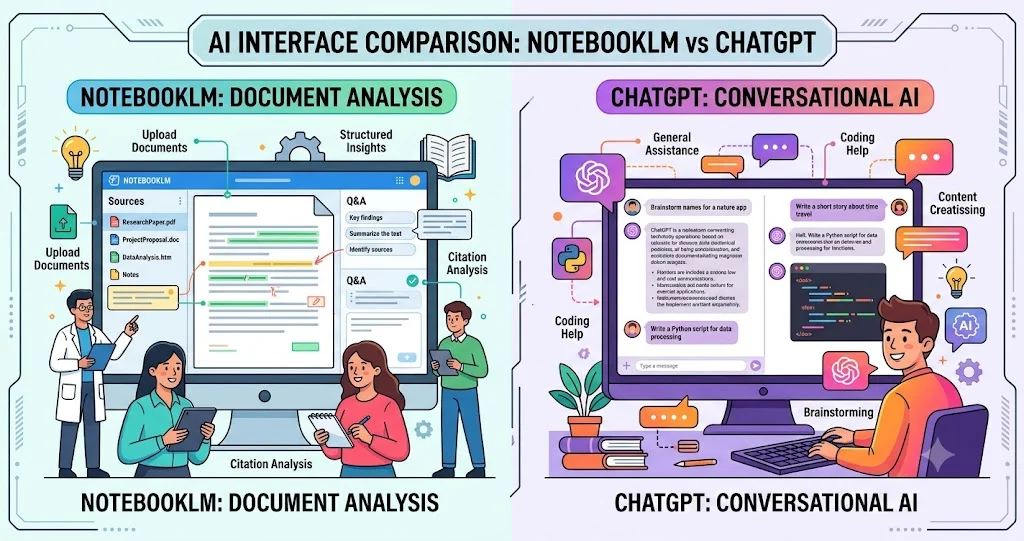
NotebookLM and ChatGPT can both answer questions about documents, summarize research, and help turn scattered information into something useful. The important difference is where the research workflow begins. NotebookLM is built around a source collection and source-grounded interaction, while ChatGPT is a broader AI workspace that can combine uploaded files with web research, deep research, data analysis, projects, multimodal tools, and connected applications.
Google renamed NotebookLM to Gemini Notebook in July 2026, although Google's current help documentation continues to use the NotebookLM name in several places. The underlying research workflow remains centered on notebooks and their sources.
NotebookLM vs ChatGPT at a glance
| Research need | NotebookLM / Gemini Notebook | ChatGPT |
|---|---|---|
| Source-grounded research | Designed around a defined notebook source collection | Can work from uploaded files, web sources, projects, and connected apps |
| Citations | Inline citations connect answers to notebook sources | Deep Research and web-based workflows provide citations or source links |
| Document summarization | Strong fit for summarizing and connecting a collection of sources | Strong fit for summarization, extraction, comparison, transformation, and analysis |
| Research notes | Notebook-oriented organization and source-linked research workflow | Projects provide persistent files, chats, instructions, and reusable context |
| Web research | Can now help discover and add relevant web sources in supported workflows | Web search and Deep Research are built into the broader ChatGPT research workflow |
| Audio learning | Audio Overviews turn notebook sources into AI-generated discussions | Voice interaction supports spoken conversations rather than the same source-notebook audio workflow |
| Broader AI work | Increasingly supports research artifacts and analysis | Broader general-purpose workspace covering writing, coding, data analysis, images, voice, and apps |
The biggest difference: source control
The clearest way to understand the two tools is to look at how they treat the research corpus.
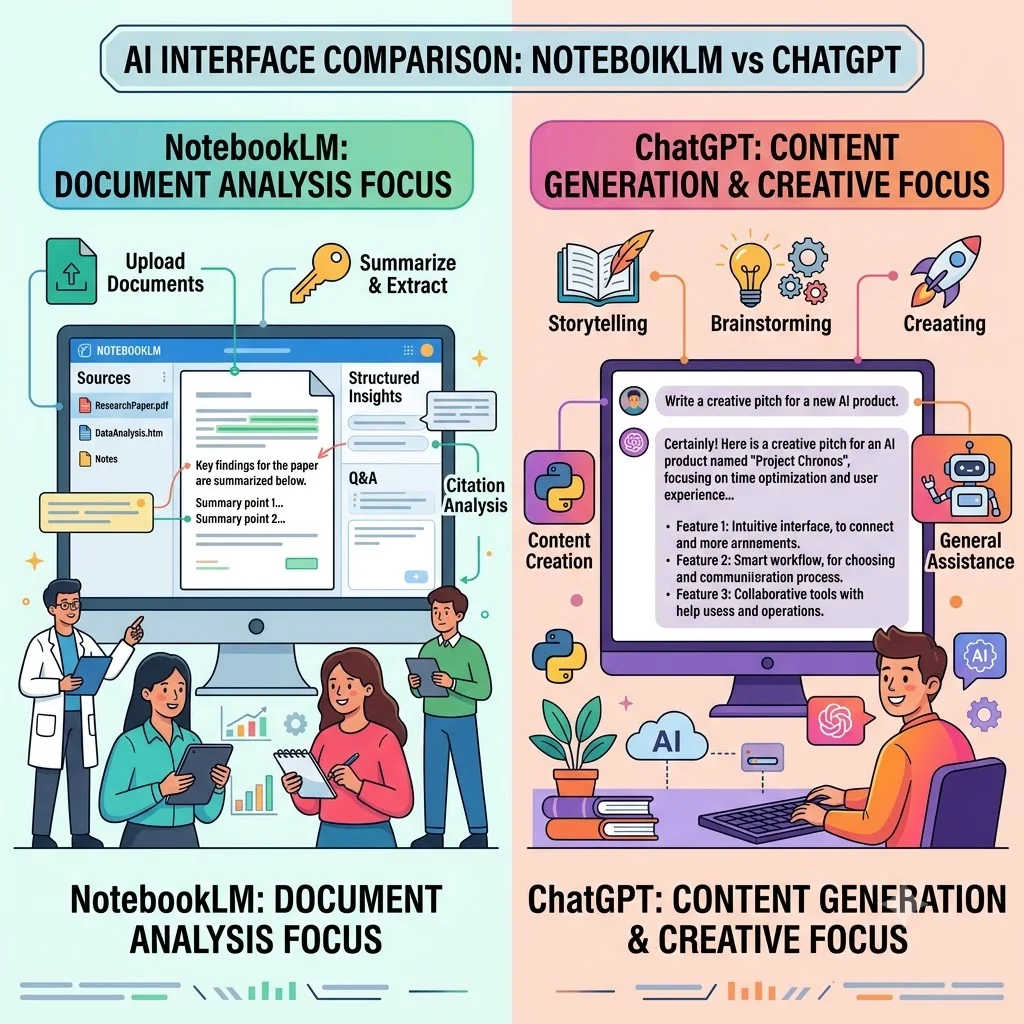
NotebookLM is designed to answer questions from the information contained in the notebook's sources. Google's documentation says NotebookLM responses are grounded in the notebook sources and provide inline citations. If the information is not in the supplied sources, NotebookLM may be unable to answer the question.
That makes NotebookLM particularly useful when you already have a defined research packet: several academic papers, lecture material, policy documents, reports, websites, Google Docs, presentations, YouTube videos, or other supported sources. Instead of treating the entire open web as the starting point, the notebook becomes the working research environment.
ChatGPT takes a broader approach. You can upload documents and ask it to summarize, extract information, compare files, transform content, or analyze structured data. Its Projects feature can keep files, chats, instructions, and other context together for longer-running work.
Practical distinction: if your question is 'What do these 20 papers say?', NotebookLM's source-centered design is especially natural. If your question is 'Analyze these papers, compare their arguments, search for newer evidence, create a research brief, and turn the findings into a presentation,' ChatGPT's broader toolset can be more suitable.
Citations and source verification
Citations are one of the most important differences for research users because a useful answer is not enough if you cannot trace an important claim back to its source.
NotebookLM explicitly emphasizes inline citations to the material in the notebook. Google describes these citations as a way to connect answers to the underlying source material and make it easier to inspect the original context.
ChatGPT also provides citations or source links in web search and Deep Research workflows. OpenAI's Deep Research documentation says its reports include citations or source links, while allowing users to specify websites, uploaded files, and supported connected apps as research sources.
The practical difference is not that one tool has citations and the other does not. Both can provide traceability. The difference is what the citations are intended to ground. NotebookLM's core workflow makes the user's selected notebook sources central. ChatGPT can combine uploaded material with external web sources and, where available, connected services.
Neither approach eliminates the need to verify important claims. AI-generated answers can contain errors, and Google's documentation explicitly warns that NotebookLM can make mistakes.
Document handling and summarization
For students and researchers, the ability to work through large collections of material is often more important than the ability to produce a polished paragraph.
NotebookLM supports sources such as PDFs, websites, YouTube videos, audio files, Google Docs, and Google Slides. It can use those materials to answer questions and create research-oriented outputs such as study guides, briefings, Audio Overviews, mind maps, and other artifacts.
ChatGPT supports document uploads and can summarize, extract information, compare documents, rewrite material, and analyze spreadsheets and other structured data. OpenAI also provides Projects for keeping reference files and conversations together across an ongoing piece of work.
The choice therefore depends on the job. For a literature-review notebook where the source collection itself is the main object of study, NotebookLM is naturally aligned with the workflow. For document transformation, cross-document analysis, data analysis, drafting, coding, or combining research with broader AI tasks, ChatGPT provides a wider working environment.
Research, brainstorming, and question answering
NotebookLM is particularly useful for closed-corpus research: asking questions about a collection of materials and finding connections among them. Google's product documentation describes it as an AI research assistant for refining and organizing ideas, with answers grounded in supplied sources.
That can be valuable for questions such as:
- What are the main arguments across these research papers?
- Where do the authors disagree?
- What evidence supports this conclusion?
- Which sources mention a particular concept?
- Can these lecture notes be turned into a study guide?
ChatGPT is more flexible when brainstorming extends beyond the source collection. You can ask it to critique an argument, generate alternative research questions, write an outline, analyze data, search the web, or transform findings into another format. Its Deep Research workflow is specifically designed for multi-step research that combines and synthesizes information from multiple sources.
That does not make ChatGPT automatically better for every research task. If the main requirement is 'stay close to these sources,' a deliberately source-centered environment can be an advantage.
Note-taking and organizing research
NotebookLM's notebook model is useful when the research collection itself needs to remain organized. Google has long included tools for saving source excerpts and responses as notes, and its current product direction continues to treat the notebook as a persistent research workspace.
ChatGPT approaches organization through Projects. A project can contain chats, uploaded reference files, instructions, and other context, allowing a long-running research task to continue without rebuilding the context from scratch. Projects are available across free and paid ChatGPT plans, although file limits and some advanced capabilities vary by plan.
For a student building a notebook around one course or a researcher maintaining a defined source library, NotebookLM's model can feel closer to a research binder. For a broader project that includes research, writing, analysis, coding, and multiple types of output, ChatGPT's project model is more general-purpose.
Audio and multimodal research
One of NotebookLM's distinctive research features is Audio Overview. It can turn the contents of a notebook into an AI-generated discussion, including formats such as a deep dive, brief, critique, or debate. Users can also interact with an Audio Overview in supported workflows. Google warns that these generated discussions can contain inaccuracies or audio glitches.
This creates an interesting use case for learning: a student can listen to an audio discussion of supplied course material while continuing to explore the original sources.
ChatGPT has a broader multimodal toolset. OpenAI documents image analysis, image generation, voice conversations, document analysis, data analysis, and other capabilities alongside its research features.
The distinction is therefore less about whether both products support multiple modalities and more about how those modalities fit into the workflow. NotebookLM's audio experience is tightly connected to the notebook's source material, while ChatGPT's multimodal capabilities are part of a wider general-purpose assistant.
Web research: the gap is getting smaller
NotebookLM was historically easiest to understand as a tool you brought sources to. That distinction is becoming less absolute. Google's June 2026 update says NotebookLM can now help users start from loose ideas and use Google Search to find relevant sources that can be added to a research repository.
ChatGPT has long positioned web search and Deep Research as complementary research capabilities. OpenAI describes standard search as useful for current information and Deep Research as a more involved workflow that searches, evaluates, and synthesizes sources into a documented report.
For fast research that starts with the open web, ChatGPT's broader research environment is a strong fit. For research that begins with a carefully selected source collection, NotebookLM remains especially well aligned with the task.
Privacy and sensitive research material
Privacy should be evaluated from the specific account and plan being used rather than from a simple "which company is more private" label.
Google says data in NotebookLM is not used to train its foundational generative AI models unless the user provides feedback. For qualified Google Workspace and Workspace for Education users, Google states that uploads, queries, and responses are not reviewed by human reviewers and are not used to train AI models.
ChatGPT has configurable data controls, and OpenAI states that business offerings such as ChatGPT Business, Enterprise, and Edu do not use information accessed from connected apps to train models. Privacy, retention, training, and administrative controls can vary by account type and workspace.
For unpublished research, proprietary company documents, student records, or other sensitive material, check the current terms, data controls, retention settings, and organizational policies before uploading anything. Do not assume that a consumer account and an organizational account have identical protections.
Where each tool fits best
| Scenario | Better starting point | Why |
|---|---|---|
| Study several assigned PDFs | NotebookLM | The notebook is designed around source-grounded questions and citations. |
| Build a literature-review source collection | NotebookLM | Source organization and grounded synthesis are central to the workflow. |
| Turn research into an audio learning session | NotebookLM | Audio Overviews are directly generated from notebook sources. |
| Search the web and produce a documented research report | ChatGPT | Deep Research can combine web, uploaded files, and supported connected sources. |
| Analyze documents and spreadsheets together | ChatGPT | It combines document processing with data-analysis capabilities. |
| Research plus writing and editing | ChatGPT | The broader workspace supports research alongside drafting and transformation. |
| Keep a defined research corpus tightly controlled | NotebookLM | The source collection is central to how answers are generated. |
| Combine research with connected work tools | ChatGPT | Supported apps can provide searchable connected information and, in some cases, research sources. |
Limitations to keep in mind
NotebookLM limitations
- Its strongest workflow depends on the quality and relevance of the sources in the notebook.
- Source grounding does not guarantee that every generated statement is correct.
- AI-generated Audio Overviews can contain inaccuracies or audio glitches.
- Features and availability can change as Google expands the product's research and agentic capabilities.
ChatGPT limitations
- Research quality depends on the sources selected, the instructions given, and the capabilities available on the user's plan.
- Web research can still produce incorrect or incomplete information, so important claims should be checked against original sources.
- Connected apps and advanced research features vary by plan, region, workspace, and account configuration.
- A broader toolset can also mean more workflow choices to configure compared with a tightly source-centered notebook.
So, which should researchers choose?
The most useful answer is to choose according to the shape of the research problem, not according to which product has the longer feature list.
Choose NotebookLM when your starting point is a defined body of material and you want to interrogate, summarize, connect, and learn from those sources with visible source grounding. It is particularly compelling for academic reading, course material, literature collections, reports, and document-heavy projects.
Choose ChatGPT when research is only one part of a larger workflow. It is better suited to tasks that move between web research, uploaded documents, structured data, writing, coding, images, voice, project organization, and connected services. ChatGPT's Deep Research capability can also turn multi-source research into a documented report.
For many researchers, the most practical answer may be to use both. NotebookLM can serve as the source-focused reading and synthesis environment, while ChatGPT can handle broader analysis, drafting, transformation, or additional research. The key is to keep the provenance of important claims visible and return to the original documents before treating an AI-generated conclusion as established fact.
Frequently asked questions
Is NotebookLM better than ChatGPT for research papers?
For research centered on a defined collection of papers, NotebookLM is particularly well suited because its core workflow is source-grounded and citation-oriented. ChatGPT can also analyze research papers and is more flexible when the task extends into web research, data analysis, writing, or other tools.
Does NotebookLM only use the documents I upload?
That was the core model of NotebookLM, but Google's 2026 updates expanded source discovery. NotebookLM can now help users find relevant web sources and add them to a research repository in supported workflows.
Does ChatGPT provide citations for research?
Yes. ChatGPT's web research and Deep Research workflows can provide citations or source links. Deep Research can also use uploaded files, specified websites, and supported connected apps as sources.
Can NotebookLM summarize multiple documents?
Yes. NotebookLM is designed to work across a collection of sources and answer questions or generate summaries grounded in those materials. Its supported sources include PDFs, websites, YouTube videos, audio files, Google Docs, and Google Slides.
Which is better for students?
For studying a defined set of course materials, NotebookLM is a natural fit, especially when source traceability and learning-oriented outputs matter. ChatGPT may be preferable when students want to combine course material with broader explanations, writing assistance, data analysis, coding, or web research.
Can NotebookLM create audio summaries?
Yes. Audio Overviews can turn notebook sources into AI-generated discussions, with formats including deep dives, briefs, critiques, and debates. Google cautions that generated audio can contain inaccuracies.
Is ChatGPT better for brainstorming?
ChatGPT is generally more flexible for open-ended brainstorming because it can combine conversation with writing, analysis, web research, files, and other tools. NotebookLM can also help generate ideas, but its strongest advantage is connecting those ideas to a defined source collection.
Bottom line
NotebookLM and ChatGPT overlap more than they once did, but their strongest research workflows remain different. NotebookLM is source-first; ChatGPT is workflow-first. If your priority is understanding a controlled collection of documents and tracing answers back to those sources, start with NotebookLM. If your research moves across the web, files, data, writing, coding, multimodal inputs, projects, and connected applications, ChatGPT offers a broader environment.
Neither should replace direct examination of important evidence. The strongest research workflow is one in which AI accelerates reading and synthesis while the researcher retains control over source selection, verification, interpretation, and final conclusions.