
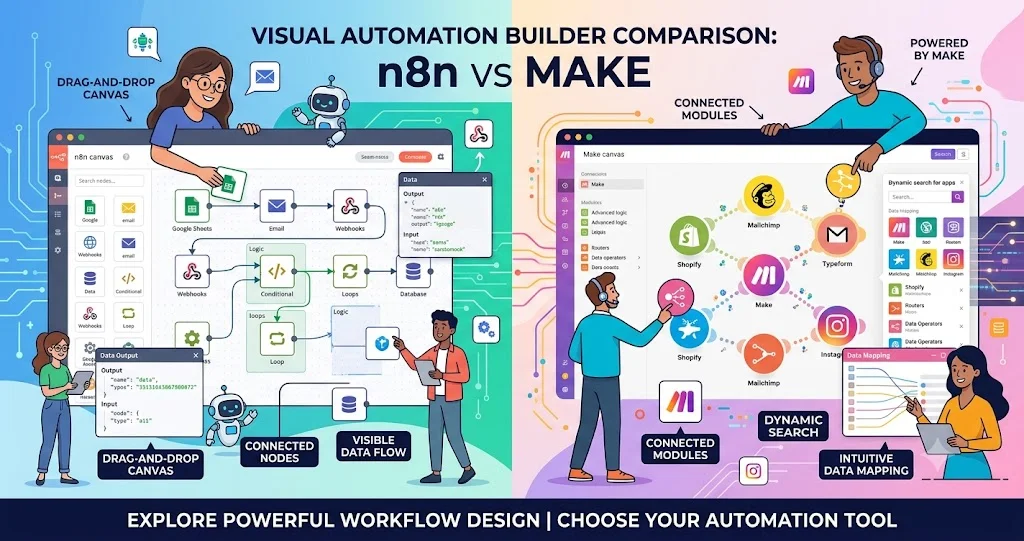
n8n and Make solve the same broad problem—connecting apps and automating repetitive work—but they encourage different ways of building those automations. Make is strongly oriented around visual, no-code scenario design, while n8n combines visual workflow building with deeper developer controls such as code steps, custom API requests, webhooks, CLI/API control, and self-hosting options.
That difference matters more than a simple feature checklist. The better choice depends on whether your priority is rapid visual automation, broad SaaS connectivity, developer-level customization, deployment control, or a mixture of these requirements.
n8n vs Make at a glance
| Criteria | n8n | Make |
|---|---|---|
| Core approach | Visual automation with strong developer controls | Visual-first, no-code automation and AI platform |
| Workflow terminology | Workflows and nodes | Scenarios and modules |
| Integrations | Large node ecosystem plus HTTP/API options | 3,000+ app integrations plus HTTP and custom-app options |
| Custom code | JavaScript and Python code steps | JavaScript and Python through Make Code |
| API work | HTTP/GraphQL requests, webhooks and API/CLI controls | HTTP app, Make API and custom integrations |
| Self-hosting | Available | Primarily managed cloud service |
| AI automation | AI Assistant and AI workflow capabilities | AI apps, AI Toolkit, Maia and Make AI Agents |
| Error handling | Error workflows, retries, execution logs and debugging features | Error handlers, retries and incomplete executions |
| Best fit | Developers and teams wanting control and customization | Teams prioritizing visual automation and fast SaaS integration |
The table describes product positioning rather than a quality ranking. Both platforms can handle sophisticated workflows, and the practical difference often comes down to how much engineering control you want over the automation.
What is n8n?
n8n is a workflow automation platform built around a visual editor and a node-based workflow model. Its current platform includes integrations, workflow templates, data handling features, code steps, custom API requests, webhooks, queues, API and CLI controls, and self-hosting capabilities.
That combination makes n8n particularly interesting for developers. You can start with visual nodes and then introduce JavaScript or Python when a workflow needs logic that is awkward to express through configuration alone. n8n also supports custom nodes and direct HTTP or GraphQL requests, which reduces dependence on having a dedicated prebuilt connector for every service.
What is Make?
Make describes itself as a visual AI automation platform. Its core experience is based on scenarios composed of modules that connect applications, transform data, and perform actions. The platform currently advertises more than 3,000 integrations and also provides an HTTP app for services that expose APIs.
Make has expanded beyond traditional no-code automation. Its current product includes AI applications, AI Toolkit, Make AI Agents, MCP Server, natural-language assistance through Maia, and Make Code for JavaScript and Python. That means the old description of Make as simply a basic no-code connector is now incomplete.
Workflow design: visual simplicity vs developer control
The biggest practical difference is how each platform approaches workflow construction.
Make is especially well suited to teams that want to see a business process as a visual sequence of modules. A typical scenario can receive an event, retrieve information, apply filters or routers, transform the data, and send it to another application. This makes it approachable for operations and business users who do not want every automation to become a software-development project.
n8n also provides a visual workflow editor, but its feature set makes it easier to move from low-code automation into programming-heavy workflows. Code nodes, custom API requests, webhooks, queues, custom nodes, and API/CLI controls provide additional options when a workflow becomes technically complex.
Practical takeaway: choose Make when visual scenario construction is the main requirement. Consider n8n when visual design is useful but you expect developers to extend workflows with code and infrastructure-level control.
Integrations and API connectivity
Make has a clear advantage in the breadth of its packaged app ecosystem. Its official integration directory currently advertises 3,000+ apps, covering business systems, productivity tools, communication platforms, AI services, databases and many other categories.
n8n takes a different approach. Its integration catalog is supplemented by generic technical building blocks such as HTTP and GraphQL requests, webhooks, custom nodes, and API or CLI controls. This can be valuable when the service you need does not have exactly the connector behavior your workflow requires.
For a small business connecting common SaaS products, the number and maturity of ready-made integrations can reduce setup time. For a development team integrating internal services, private APIs, or unusual endpoints, the ability to construct custom API interactions may matter more than the connector count.
Customization and technical requirements
Neither platform is exclusively no-code anymore. Make provides Make Code for JavaScript and Python, while n8n provides JavaScript and Python code steps and additional developer tooling.
The distinction is therefore less about whether code is supported and more about how central code and infrastructure are to your automation strategy.
- Business-led automation: Make's visual-first model can reduce the amount of programming needed for common workflows.
- Developer-led automation: n8n provides more obvious paths into custom code, API calls, custom nodes and infrastructure control.
- Mixed teams: either can work, but define ownership before production deployment so business users and developers know who maintains credentials, logic and failures.
Self-hosting and deployment control
Self-hosting is one of the clearest differences in the n8n vs Make decision. n8n offers self-hosted deployment and lists developer and infrastructure-oriented features such as queue mode, multiple instances, external storage options, environments and Git-based version control on applicable plans.
This can be useful when an organization wants greater control over deployment, networking, infrastructure, or where workflow data is processed. It also creates additional responsibility: someone has to manage hosting, upgrades, backups, monitoring, credentials, availability and security.
Make is primarily a managed automation service. Its value proposition is that teams can build and operate scenarios without taking responsibility for running the automation platform itself. That can reduce infrastructure work, particularly for small teams without dedicated platform engineering resources.
Self-hosting should therefore not automatically be treated as an advantage. It is an advantage only when the additional control is worth the operational responsibility.
AI workflow support
AI is now a major part of both platforms. n8n's current plans include AI-related functionality such as AI Assistant, while its developer-oriented workflow model can connect AI services through nodes and APIs. Self-hosted AI Assistant usage can use a bring-your-own-key approach, according to n8n's current pricing documentation.
Make has built AI more deeply into its current platform positioning. Its official product pages list AI applications, AI Toolkit, Make AI Agents, MCP Server and Maia, alongside integrations with major AI services.
For AI-heavy automation, the important question is not simply whether a platform supports AI. Both do. Instead, evaluate how much control you need over prompts, model APIs, structured data, retries, branching, memory, external tools, credentials and observability.

Error handling and debugging
Production automation is defined as much by failure handling as by successful runs. n8n currently lists automatic retries, error workflows, execution logging, editor debugging, execution searches and other debugging capabilities. Higher-tier configurations also include scaling and logging features.
Make provides explicit error handlers and incomplete executions. Its documentation describes retry handling that can preserve failed data and retry temporary failures, while incomplete executions can be stored for later resolution.
Make also provides scenario settings for controlling execution order, confidential data retention, incomplete executions and other operational behavior.
For either platform, test failure paths deliberately. A workflow that works perfectly when every API responds normally can still be unsuitable for production if it has no strategy for authentication failures, rate limits, timeouts, duplicate records, malformed input or downstream outages.
Scalability: what actually changes the decision?
Neither platform should be judged by a generic statement such as “Tool A scales better.” Scaling depends on execution volume, workflow complexity, API limits, concurrency, data size, hosting architecture and the operational model of the team.
n8n provides explicit scaling-oriented features such as queue mode, multiple instances, workers and external storage on applicable plans.
Make handles scaling as part of its managed service model, with plan-dependent execution, data-transfer and runtime limits. Its pricing model is based on credits, with each module action generally consuming credits.
For high-volume automation, calculate the complete workflow cost rather than comparing subscription prices alone. A workflow that performs many module actions per record can consume credits differently from a workflow that performs fewer, more consolidated operations.
Pricing models: n8n vs Make
Pricing changes frequently, so the official pricing pages should be checked before purchase. Make currently uses credits as its billing unit; its public pricing page lists a Free tier with up to 1,000 credits per month and paid tiers beginning with Core at $12 per month for 10,000 credits when billed monthly, with higher tiers for additional capabilities.
n8n offers cloud and self-hosted deployment options. Its pricing page distinguishes plans by workflow executions and features, while self-hosting can change the infrastructure cost because the organization is responsible for running the platform.
Do not compare the headline subscription price alone. Estimate the number of workflows, executions, operations or module actions, required concurrency, data-transfer needs, AI usage, storage, and infrastructure effort before choosing a plan.
Which platform fits different teams?
Choose Make when visual automation is the priority
Make is a strong fit when operations teams or business users need to create and maintain automations visually, especially when the required applications already have mature integrations. Its large integration catalog and visual-first approach can reduce the amount of custom development required.
Choose n8n when developer control matters
n8n is particularly attractive when developers need custom code, direct API interaction, webhooks, custom nodes, self-hosting or more control over the execution environment.
For small businesses
Start with the platform your team can maintain. If the workflow is mostly “when X happens in one SaaS application, do Y in another,” Make's visual approach may be easier to hand over. If the automation is becoming an internal application with custom APIs and substantial business logic, n8n may provide a better technical foundation.
For developers and engineering teams
n8n deserves closer consideration when automation is effectively becoming an integration layer. Make can still be a good choice when rapid visual delivery and a broad SaaS connector ecosystem are more important than deployment control.
For operations teams
Make can be particularly appealing when the people building automations are closer to business operations than software engineering. Its visual scenario model makes the workflow easier to inspect and communicate.
Important limitations to consider
- n8n: self-hosting adds infrastructure and maintenance responsibility. More technical flexibility can also make workflows more complex to govern.
- Make: usage-based credits require careful workflow-cost planning, particularly for scenarios that execute many modules repeatedly.
- Both: third-party API limits, authentication failures, data quality problems and poorly designed workflows can cause production failures regardless of the automation platform.
- Both: AI-assisted automation introduces additional considerations around model costs, output reliability, permissions, data handling and human review.
A practical decision framework
- List the applications you need to connect. Check whether they have mature native integrations.
- Identify custom APIs. If internal or unusual APIs are central, evaluate HTTP/API capabilities rather than connector counts.
- Decide who will maintain workflows. Business-owned automation and developer-owned integration infrastructure have different requirements.
- Estimate execution volume. Model the actual operations, module actions, executions and data transfer involved.
- Decide whether self-hosting is genuinely required. If it is, include hosting and maintenance in the total cost.
- Design failure handling before production. Test retries, timeouts, authentication errors, rate limits and duplicate data.
- Evaluate AI requirements separately. Determine whether you need simple AI steps or autonomous, multi-step AI workflows.
Frequently asked questions
Is n8n better than Make?
Not universally. n8n is often a better fit when developer control, custom APIs, code and self-hosting matter. Make is often a better fit when visual automation, broad SaaS integrations and managed infrastructure are the priorities.
Is Make completely no-code?
Make is strongly visual and no-code oriented, but it also supports low-code and coding capabilities. Its current product includes Make Code for JavaScript and Python, so advanced workflows do not have to remain purely configuration-based.
Can n8n be self-hosted?
Yes. n8n provides self-hosted deployment options. The trade-off is that the organization takes on responsibility for infrastructure, maintenance, security and operational reliability.
Which is better for API automation?
Both can work with APIs. Make provides an HTTP app and API capabilities, while n8n provides HTTP and GraphQL requests plus webhooks and developer controls. The better choice depends on how much custom API logic and infrastructure control your workflow requires.
Which is better for AI automation?
Both have substantial AI capabilities. Make currently offers AI applications, AI Toolkit, Maia, MCP Server and Make AI Agents, while n8n provides AI-related workflow features alongside its node and code-based automation model.
Which is easier for non-developers?
Make's visual-first approach is generally the more natural starting point for non-developers, particularly when workflows rely on existing app integrations. Complex n8n workflows can also be visual, but its deeper developer capabilities may introduce more technical concepts.
Can either platform handle production failures?
Yes, both provide mechanisms for handling failures. n8n lists retries, error workflows and execution debugging, while Make provides error handlers, retries and incomplete executions. The important factor is how the workflow is configured and monitored rather than simply which platform is selected.
Bottom line
The most useful way to compare n8n and Make is to compare the workflows they encourage rather than looking for a universal winner. Make is compelling when visual, managed, SaaS-heavy automation is the priority. n8n is compelling when automation needs to behave more like a programmable integration system, especially when custom code, APIs, self-hosting or infrastructure control are important.
For a small operations team, start with the simplest platform that the team can reliably maintain. For a developer-led integration environment, evaluate n8n's technical controls carefully. In either case, build a representative workflow and measure the actual execution cost, maintenance effort, failure behavior and API constraints before committing to a larger migration.