
Midjourney vs Flux: A Detailed AI Image Generator Comparison
AI image generation has become a significant tool for creatives, designers, and artists. Among the many platforms available, Midjourney and Flux are two of the most prominent, each offering distinct features and approaches. This guide provides a detailed comparison to help you understand the differences and determine which tool might better suit your needs.
Introduction to AI Image Generation
AI image generation tools use deep learning models to create images from text descriptions. They have revolutionized creative workflows, enabling rapid prototyping, idea visualization, and artistic expression. Midjourney has been a dominant player in this space, known for its distinctive, artistic style. Flux, an open-source model developed by Black Forest Labs, has gained attention for its technical capabilities and community-driven development. Understanding the strengths and weaknesses of each helps users choose the right tool for their projects.
Midjourney Overview
Midjourney is an AI image generation service that has become popular for its artistic and stylized outputs. It operates through Discord and offers a user-friendly interface.
- Key Features: Midjourney offers powerful image generation with a distinctive, often dreamlike or painterly style. It provides various parameters for controlling aspects like aspect ratio, style, and chaos.
- Strengths: Known for its artistic quality and aesthetic appeal, Midjourney excels at generating images that are visually striking and often more artistic than purely photorealistic. It has a strong, active community and a simple interface via Discord.
- Limitations: Midjourney is a closed, proprietary platform, meaning it requires a subscription. It also offers less control over the underlying model and generation process compared to some open-source alternatives. The reliance on Discord can be a limitation for some users.
Flux Overview
Flux is an open-source AI image generation model developed by Black Forest Labs. It is known for its technical performance and flexibility, appealing to developers and users seeking more control.
- Key Features: Flux is an open-source model, allowing for local deployment, customization, and fine-tuning. It is known for its strong text-to-image alignment and ability to generate complex compositions.
- Strengths: As an open-source model, Flux offers flexibility for experimentation and integration into other applications. It often provides faster generation times and is suitable for photorealistic and complex scenes.
- Limitations: Flux may have a steeper learning curve for users without technical experience. Its open-source nature means it may lack the polished user interface of commercial platforms
Comparison of Image Quality and Style
Image quality and artistic style are subjective but important factors. Here's how Midjourney and Flux compare.
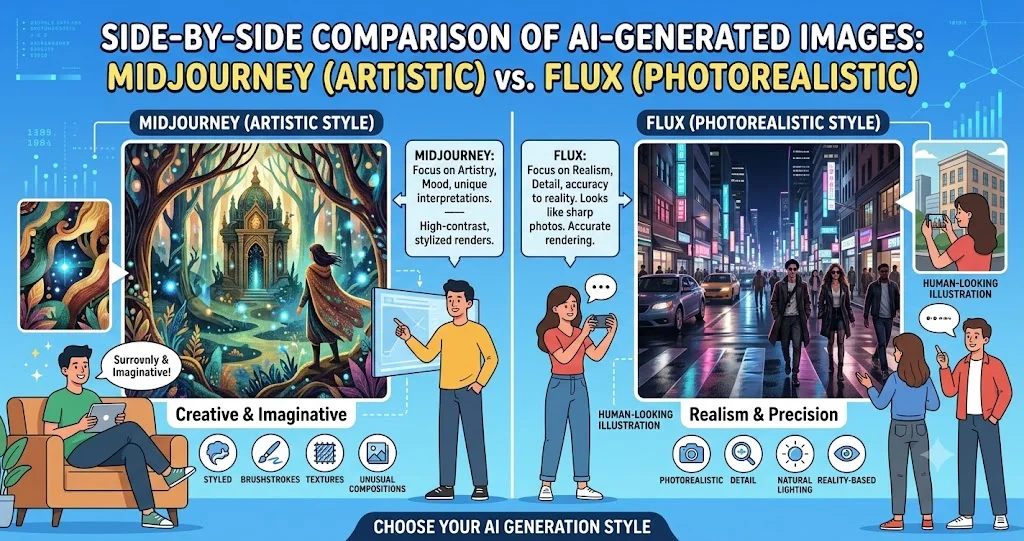
- Midjourney Style: Midjourney's images often have a painterly, dreamlike quality. It can produce highly artistic, stylized results that are distinct and recognizable.
- Flux Style: Flux tends to produce images that are more realistic, detailed, and technically precise. It can handle complex prompts and generate photorealistic images effectively.
- Which is Better? For artistic, expressive, or abstract work, Midjourney may be preferred. For photorealistic or technically demanding scenes, Flux may be a better choice.
Ease of Use and Accessibility
How accessible and user-friendly are these platforms?
- Midjourney: Operates through Discord, providing a simple, chat-based interface. It's easy to start generating images with basic commands.
- Flux: Can be run locally or through various third-party services. It requires more technical setup for local deployment but can be accessed through web interfaces and integrations.
- Which is Easier? Midjourney offers a simpler entry point for users without technical backgrounds.
Control and Customization
Control over output varies between the two tools.
- Midjourney: Offers parameters for style, chaos, and aspect ratio but provides limited control over specific image details.
- Flux: As an open-source model, Flux allows for significant customization, including fine-tuning and integration into existing workflows.
- Which Offers More Control? Flux offers greater control for users with technical expertise.
Community and Support
Community can be a valuable resource for learning and troubleshooting.
- Midjourney: Has a large, active community that shares prompts and provides support through Discord and other platforms.
- Flux: Has a growing community of developers and users, with resources shared through GitHub and online forums.
- Which Has Better Support? Midjourney has a more established community, but Flux has strong developer support.
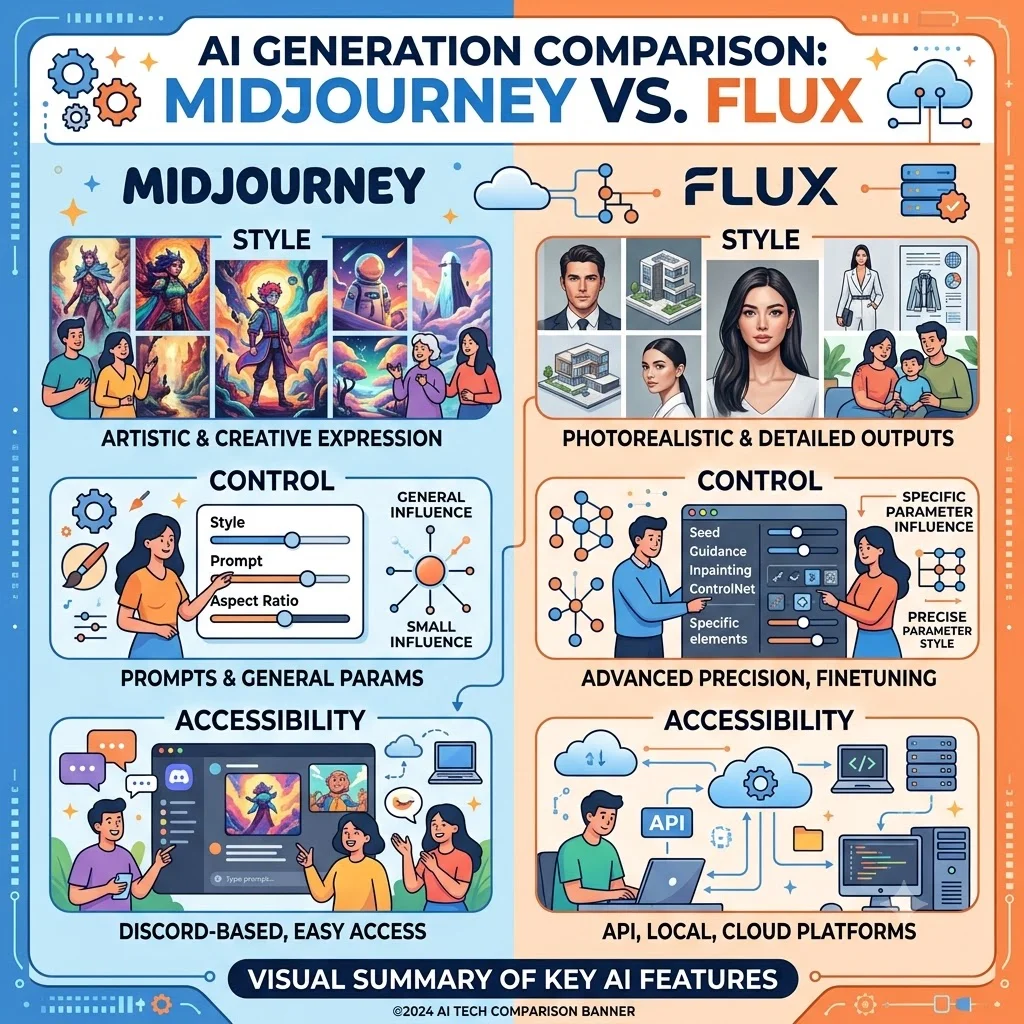
Comparison of Midjourney and Flux
The following table provides a detailed comparison of Midjourney and Flux across key dimensions.
| Feature | Midjourney | Flux |
|---|---|---|
| Accessibility | Discord-based, easy to start | Local deployment or third-party services |
| Model Type | Proprietary, closed-source | Open-source |
| Image Style | Artistic, painterly, dreamlike | Photorealistic, detailed, technically precise |
| Control | Limited style parameters | High, customizable (for technical users) |
| Customization | Limited | Fine-tuning, integration |
| Community | Large, active, creative | Growing, developer-focused |
| Cost | Subscription-based | Free (open-source), may incur hosting costs |
| Best For | Artistic projects, creative inspiration | Photorealism, technical projects, custom applications |
Checklist: Choosing Between Midjourney and Flux
Use this checklist to decide which AI image generator aligns with your requirements.
- What is your primary goal? Artistic expression or photorealism?
- What is your technical skill level? Are you comfortable with technical setup and customization?
- What is your budget? Can you afford a subscription, or do you prefer a free, open-source option?
- How much control do you need? Do you need fine-grained control over the generation process?
- Do you need community support? Would you benefit from a large, active community?
Tips for Using AI Image Generators Effectively
These tips can help you get better results with Midjourney, Flux, or other AI image generation tools.
- Write Detailed Prompts: Include specific details about style, subject matter, and composition for better outputs.
- Iterate and Refine: Start with a basic prompt and iteratively refine it based on the results you get.
- Learn from the Community: Study successful prompts shared by others to understand effective techniques.
- Experiment with Parameters: Adjust parameters like aspect ratio, style, and chaos to see how they affect the output.
- Use High-Quality Prompts: The quality of your prompt significantly affects the output. Invest time in crafting clear, descriptive prompts.
Frequently Asked Questions About Midjourney and Flux
Is Flux better than Midjourney?
Neither is definitively better; it depends on your goals. Midjourney excels in artistic, stylized outputs, while Flux is stronger for photorealistic and technically precise results.
Is Midjourney free?
Midjourney is not free. It operates on a subscription model with various pricing tiers. A limited free trial may be available for new users.
Is Flux free?
Flux is open-source and free to use. However, if you run it locally, you will need the appropriate hardware. Some services offering Flux may charge for access.
Which is better for beginners?
Midjourney is often considered more beginner-friendly due to its simple Discord-based interface and active community.
Can I run Flux on my own computer?
Yes, Flux is open-source and can be run locally if you have a sufficiently powerful computer with a capable GPU.
Which tool produces more realistic images?
Flux is generally known for producing more photorealistic and technically detailed images.
Is Midjourney open-source?
No, Midjourney is a closed, proprietary platform.
Can I use both Midjourney and Flux?
Yes, many users use both tools depending on the project. They complement each other with different strengths.
How do I improve my prompts for better results?
Use specific language, include details about composition, lighting, and style, and experiment with different phrasing and parameters.
Which has better commercial usage rights?
Midjourney's commercial usage depends on the subscription tier and specific terms. Flux's open-source license may allow more flexibility, but you should review the specific license terms.
Conclusion
Both Midjourney and Flux are powerful AI image generation tools, each with unique strengths. Midjourney excels in artistic, visually striking outputs, with a user-friendly interface and a strong, supportive community. Flux offers technical precision, photorealistic capabilities, and greater flexibility through its open-source nature. Choosing between them depends on your specific needs: your technical comfort level, your creative goals, your budget, and the level of control you require. Understanding these differences helps you make an informed decision and leverage the right tool for your creative projects.