

How I Use AI Every Day to Save 3 Hours of Work
Artificial intelligence has become an essential part of my daily workflow. By integrating AI tools thoughtfully, I have managed to save about three hours each day, freeing up time for more meaningful and creative work. This guide shares the practical strategies and tools that make this possible, offering actionable insights for anyone looking to boost their productivity with AI.
Introduction: The AI Productivity Impact
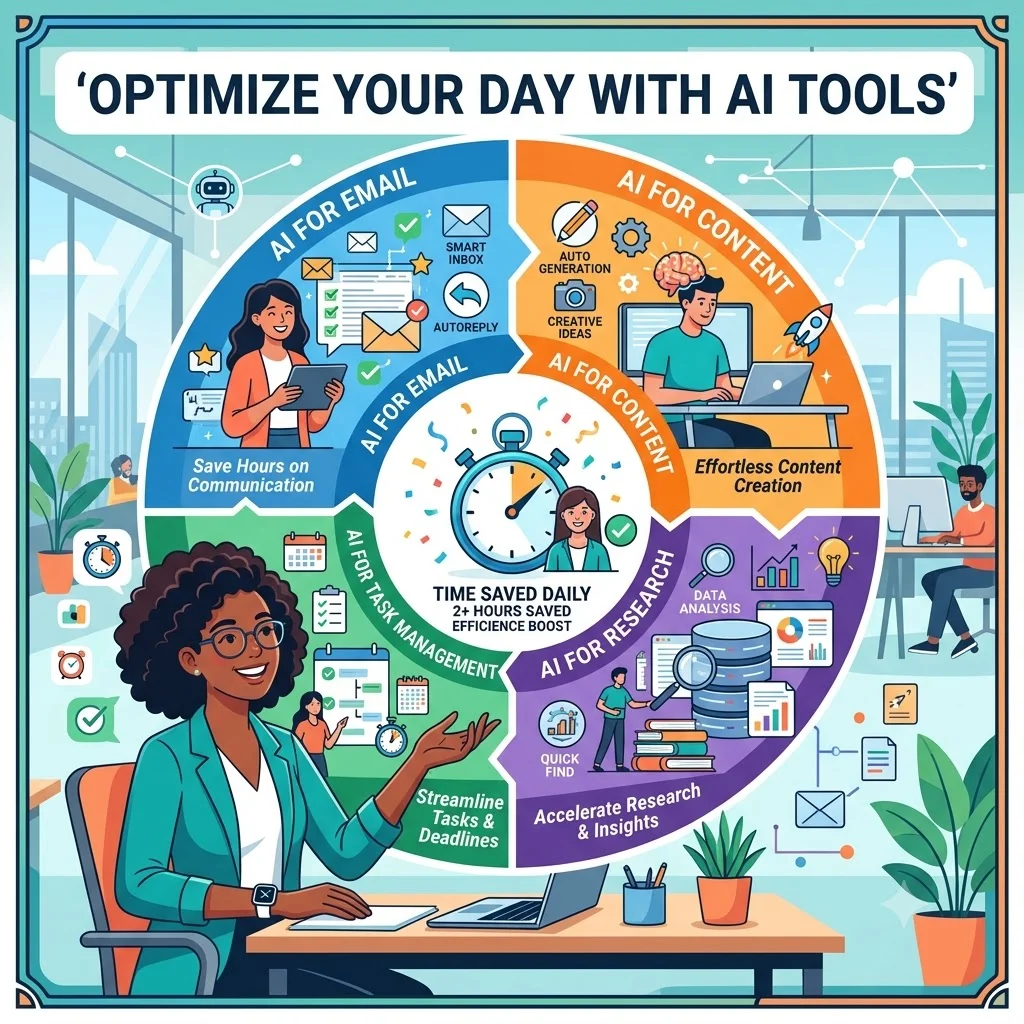
AI tools are no longer futuristic or niche; they are practical, accessible, and increasingly integrated into professional life. The key to saving significant time is not just having access to these tools but using them strategically to automate repetitive tasks, streamline workflows, and enhance decision-making. The three hours I save daily come from a combination of effective AI applications in communication, content creation, research, and task management. This guide outlines the specific workflows and tools I use, offering a practical model for incorporating AI into your own work.
Communication and Email Management
Email and communication are among the biggest productivity drains. AI tools can streamline these tasks significantly, saving substantial time each day.
- AI-Powered Email Drafting: I use AI to generate initial drafts for routine emails, responses, and follow-ups. This cuts down on the time spent composing and structuring messages.
- Smart Email Categorization and Prioritization: AI tools automatically sort and label emails, prioritizing important messages and filtering out distractions, allowing me to focus on what matters most.
- Meeting Scheduling and Management: AI scheduling assistants coordinate calendars, find optimal meeting times, and even join meetings to take notes, eliminating the back-and-forth of scheduling.
- Meeting Summarization and Action Items: AI meeting assistants transcribe meetings and automatically generate summaries and action items, saving time on manual note-taking and review.
Content Creation and Writing
AI has transformed the writing process, making it faster and more efficient. Here is how I use AI in content creation.
- Drafting and Outlining: I use AI to generate first drafts and outlines for articles, reports, and presentations. The AI provides a structure and initial content that I then refine and personalize.
- Editing and Proofreading: AI grammar and style checkers catch errors and suggest improvements, helping me polish content without spending excessive time on manual editing.
- Brainstorming and Idea Generation: AI tools are excellent for generating new ideas, angles, and approaches when I have writer's block or need inspiration.
- Content Repurposing: I use AI to adapt content for different platforms, turning an article into a social media post or a presentation script.
Research and Information Gathering
Research can be one of the most time-consuming tasks. AI helps accelerate this process.
- Information Summarization: AI tools can quickly summarize long documents, articles, and research papers, providing key insights without reading everything.
- Question Answering: AI can answer specific questions by drawing from large datasets and knowledge bases, reducing the time spent searching through multiple sources.
- Data Analysis and Insight Discovery: AI analytics tools process large datasets, identify patterns, and present findings in a digestible format.
Task Management and Automation
AI can automate many routine tasks, freeing up mental space and time for more complex work.
- Task Prioritization and Planning: AI assists in organizing and prioritizing tasks based on urgency and importance, helping me plan my day more efficiently.
- Automating Repetitive Tasks: I use AI-powered automation tools to handle repetitive digital tasks like data entry, file organization, and report generation.
- Automated Workflows: AI orchestrates complex workflows that involve multiple applications, reducing the need for manual handoffs and tracking.
Comparison of Time-Saving AI Tools
The following table compares different AI tools I use, their primary functions, and the approximate time saved per day with each tool.
| Tool Type | Primary Function | Time Saved (Daily) | Best Use Case |
|---|---|---|---|
| Email Assistant | Draft, prioritize, schedule | 30-45 min | Routine email management |
| Meeting Summarizer | Transcription and action items | 20-30 min | Post-meeting follow-ups |
| Content Generator | Drafting and outlining | 60-90 min | Writing and content creation |
| Research Summarizer | Summarize and answer questions | 30-45 min | Information gathering |
| Task Automation Tool | Automate repetitive tasks | 30-60 min | Data entry, routine workflows |
Checklist: Identifying Time-Saving Opportunities with AI
Use this checklist to identify areas in your work where AI can help save time.
- Email: Do you spend too much time drafting, organizing, or managing emails?
- Writing: Do you struggle with writer's block or spend extensive time editing?
- Research: Do you frequently need to summarize, extract, or find information from multiple sources?
- Meetings: Do you spend time scheduling, preparing, or following up on meetings?
- Routine Tasks: Are there repetitive tasks like data entry or form-filling you could automate?
- Planning: Do you find it difficult to prioritize or structure your workday effectively?
Tips for Integrating AI into Your Daily Workflow
These practical tips can help you integrate AI tools effectively and maximize your time savings.
- Start Small: Begin with one or two AI tools for specific tasks before expanding your use.
- Customize and Train: Many AI tools improve with customization and training on your preferences.
- Monitor Time Savings: Track the time you save to assess the effectiveness of the tools and adjust your approach.
- Maintain Human Oversight: Always review AI-generated content and decisions to ensure they meet your standards.
- Stay Flexible: Be open to experimenting and adjusting your toolset as new AI capabilities emerge.
Frequently Asked Questions About AI and Productivity
Is AI really worth the time investment?
Yes, while there is a learning curve, the time savings from AI tools can be substantial. Most tools offer free trials or free tiers, allowing you to test their effectiveness without significant commitment.
What are the best AI tools for saving time?
The best tools depend on your specific workflows. Common time-saving tools include email assistants, meeting summarizers, content generation tools, and automation platforms.
How do I get started with AI?
Start by identifying a specific, time-consuming task you want to improve. Then, research AI tools for that task and try the free versions or trials. Gradually expand your use as you become more comfortable.
Will AI replace my job if I use it?
AI is more likely to augment your work than replace it entirely. By using AI to handle routine tasks, you can focus on higher-value activities, making yourself more valuable.
Can I use AI for personal tasks too?
Yes, AI can also help with personal tasks like managing schedules, planning trips, and organizing personal information, saving time outside work as well.
Is AI easy to learn?
Many AI tools are designed with user-friendly interfaces that require minimal technical skill. Basic proficiency can often be gained in a few days of use.
What if I don't trust AI-generated content?
It's wise to maintain a healthy skepticism. Always review AI-generated content for accuracy and relevance and adjust it as needed to meet your standards.
How much time can AI realistically save?
Time savings vary, but many users report saving 2-5 hours per week initially, increasing to several hours per day as they integrate AI more deeply into their workflows.
Conclusion
Using AI every day to save three hours of work is not just a possibility—it is a reality that many professionals are already achieving. The key is to approach AI strategically: identifying the most time-consuming tasks, selecting the right tools, and integrating them effectively into your workflow. From streamlining communication and content creation to automating research and task management, AI offers practical solutions to everyday productivity challenges. By starting small, monitoring your savings, and continuously refining your approach, you too can reclaim hours of your day for more meaningful work. The examples and strategies in this guide provide a roadmap for your own AI productivity journey.