

AI coding assistants are no longer limited to suggesting the next line of code. Leading tools can now inspect repositories, plan changes, edit multiple files, run commands, generate tests, review pull requests, and connect to external tools. The practical difference between them is therefore less about autocomplete quality alone and more about how each assistant fits the way a developer or engineering team actually builds software.
This AI coding assistants comparison focuses on that broader workflow. Instead of treating every tool as interchangeable, it compares repository awareness, agentic coding, IDE integration, testing, code review, model choice, privacy controls, integrations, and team governance. The goal is to help developers choose an assistant based on the work they need it to perform rather than on a single benchmark or marketing claim.
What counts as an AI coding assistant?
An AI coding assistant is software that uses one or more language models to help with programming tasks. Traditional assistants mainly provided inline completion: a developer typed code and the tool predicted what might come next. Modern assistants increasingly operate at a higher level.
For example, GitHub Copilot's current agent mode can determine which files need changes, propose edits, run terminal commands, and iterate when problems appear. Cursor's Agent can search a codebase, modify multiple files, run terminal commands, build features, refactor code, write tests, and attempt fixes.
This creates two broad categories of AI-assisted development:
- Assistive coding: autocomplete, explanations, code generation, refactoring suggestions, and conversational help.
- Agentic coding: the assistant plans and executes multiple development steps, often with access to files, terminals, tests, and external tools.
The distinction matters because agentic systems can deliver more automation but also require stronger review, permissions, and engineering controls.
Leading AI coding assistants at a glance
| Assistant | Primary strength | Agentic workflow | Notable ecosystem | Key consideration |
|---|---|---|---|---|
| GitHub Copilot | Broad development workflow | Yes | GitHub, VS Code, Visual Studio, JetBrains and more | Strong GitHub integration and broad model catalog |
| Cursor | AI-first coding environment | Yes | Cursor editor, cloud agents | Deep codebase interaction and usage-based model costs |
| Claude Code | Terminal-based agentic development | Yes | Terminal, MCP, cloud providers | Powerful automation requires careful permissions |
| OpenAI Codex | Agent-driven engineering tasks | Yes | ChatGPT, cloud environments, worktrees | Designed for multi-step engineering and parallel work |
| Amazon Q Developer | AWS-oriented development | Yes | AWS, IDEs, CLI | Especially useful for AWS-heavy teams |
| Windsurf | Agentic editor workflow | Yes | Windsurf editor | Cascade combines code, planning and tool use |
| JetBrains AI Assistant / Junie | JetBrains development workflows | Yes | JetBrains IDEs, terminal and external agents | Strong integration with JetBrains code intelligence |
This table is a workflow-oriented summary rather than a ranking. The best choice depends on the developer's IDE, language, repository size, cloud environment, security requirements, and preferred level of automation.
GitHub Copilot: broad integration across the software lifecycle
GitHub Copilot has expanded from an autocomplete product into a broader coding platform. GitHub currently lists inline suggestions, chat, agent mode, Copilot CLI, MCP integration, custom instructions, code review, cloud agents, and integrations across GitHub and several development environments.
Its agent mode can analyze a coding task, identify relevant files, make changes, execute terminal commands, and iterate toward completion. GitHub also provides a cloud-agent workflow that can work asynchronously on assigned tasks and prepare changes for review.
Where Copilot fits well
- Teams already using GitHub for repositories and pull requests.
- Developers who want one assistant across multiple IDEs.
- Organizations interested in agentic workflows connected to GitHub issues and code review.
- Teams that want model choice rather than being locked to one model provider.
GitHub currently lists a large model catalog across Copilot plans, including models from Anthropic, OpenAI, Google, xAI, and others. The trade-off is that model availability and usage are plan-dependent, and agentic features can consume usage credits.
Cursor: an AI-first development environment
Cursor takes a different approach by making the editor itself central to the AI workflow. Its Agent mode can explore the codebase, edit multiple files, execute terminal commands, build features, refactor existing code, write tests, and fix errors.
This makes Cursor particularly relevant when the task is larger than a single code completion. A developer can describe a feature in natural language and let the agent inspect the repository before deciding which files to modify.
Cursor also provides team and enterprise controls. Its documentation describes usage dashboards, privacy settings, centralized team billing, SSO-related controls, repository blocklists, MCP configuration, and other administrative options.
Privacy deserves attention
Cursor's privacy documentation explains that requests are routed through its backend and describes several privacy modes. It also explains that indexing a codebase involves uploading chunks for embedding computation, with plaintext code removed after the request while embeddings and metadata may remain.
For a company, that means privacy settings should be reviewed before connecting proprietary repositories. The correct question is not simply whether an assistant is “secure,” but what data leaves the development environment, how long it is retained, which providers process it, and what administrative controls are available.
Claude Code: terminal-first agentic development
Claude Code is designed around the terminal rather than being limited to an IDE plugin. Anthropic documents support for project-level interaction, command-line workflows, MCP servers, permission controls, session continuation, model selection, and scripted output.
That makes Claude Code useful for developers who prefer treating an AI assistant as an engineering agent that can operate directly alongside Git, build systems, tests, scripts, and repository files.
Permission control is particularly important. Claude Code supports allowed and disallowed tools and multiple permission modes. Its documentation also includes a warning-oriented option for skipping permissions, which illustrates why unrestricted agent execution should be treated carefully.
Where Claude Code fits well
- Developers comfortable with terminals and Git workflows.
- Multi-file refactoring and repository-level changes.
- Automated development tasks that benefit from shell access.
- Teams that want to connect coding agents to external tools through MCP.
OpenAI Codex: engineering tasks rather than simple autocomplete
OpenAI positions Codex as a coding agent that can help write, review, and ship code. Its current product description emphasizes end-to-end engineering tasks such as feature development, complex refactoring, migrations, and other multi-step work. Codex can also operate in cloud environments and use worktrees for parallel agent workflows.
Codex is also available through ChatGPT plans, with usage limits varying by plan. OpenAI describes it as an agent rather than simply an autocomplete feature.
The practical advantage is strongest when the work can be expressed as a well-defined engineering task. For example, instead of asking for a single function, a developer might ask an agent to implement an API endpoint, add tests, update related code, and prepare the resulting changes for review.
Amazon Q Developer: particularly relevant to AWS teams
Amazon Q Developer combines conversational assistance with code generation, debugging, refactoring, security scanning, AWS guidance, and agentic development. AWS says Q Developer can understand workspace context, generate code and tests, make code changes, run commands, and help with code reviews.
Its strongest differentiator is its connection to AWS. Developers can ask questions about AWS architecture and resources, and Q Developer is designed around AWS documentation and services.
Q Developer also supports multiple IDEs, including VS Code, JetBrains, Eclipse, and Visual Studio, as well as a command-line experience.
There is an important roadmap consideration for teams: AWS documentation currently states that support for Amazon Q Developer IDE plugins is scheduled to end on April 30, 2027, and directs users toward Kiro for similar capabilities involving agentic coding, MCP, and chat. This does not make Q Developer unusable today, but it is relevant when selecting a tool for a long-lived development workflow.
Windsurf: agentic coding through Cascade
Windsurf's Cascade is an agent-based coding assistant with Code and Chat modes, tool calls, planning, checkpoints, real-time context, and linter integration. In Code mode, Cascade can create and modify code, while Chat mode is designed more for questions and proposed changes.
The planning capability is particularly relevant to larger tasks. Windsurf describes a specialized planning process that can refine a longer-term plan while the selected model focuses on executing individual actions.
For developers evaluating Windsurf, the key question is whether its editor-centered workflow matches their existing environment. Moving from a familiar IDE to an AI-first editor can provide deeper integration, but it can also introduce workflow changes for teams standardized on another development environment.
JetBrains AI Assistant and Junie: strong IDE-native options
JetBrains has moved beyond simple AI chat by integrating coding agents directly into its IDE ecosystem. Its current documentation lists Junie, Claude Agent, Codex, and GitHub Copilot among the agents that can be used through AI Assistant. It also supports MCP tools and external agents through the Agent Client Protocol.
Junie itself is designed to plan and execute complex multi-step actions, including large-scale edits, terminal commands, tests, and external tools.
This approach is useful for teams already invested in IntelliJ IDEA, PyCharm, or other JetBrains IDEs because developers can combine AI assistance with the IDE's existing code intelligence and project structure.
How the assistants differ by workflow
| Workflow | Tools worth evaluating | What to look for |
|---|---|---|
| Inline code completion | GitHub Copilot, Cursor, JetBrains AI | Suggestion quality, latency, language support and editor integration |
| Multi-file feature development | Cursor, Copilot, Codex, Claude Code, Junie | Repository context, planning, editing and verification |
| Terminal automation | Claude Code, Codex, Copilot CLI, Amazon Q | Permission model, shell access and Git integration |
| AWS development | Amazon Q Developer | AWS context, resource knowledge and cloud workflows |
| GitHub-centered teams | GitHub Copilot | Issues, pull requests, code review and agent workflows |
| JetBrains development | JetBrains AI Assistant and Junie | IDE context, code intelligence and agent integration |
| AI-first editor workflow | Cursor or Windsurf | Repository context, agent modes and editor experience |
Agentic coding is changing the developer workflow
The most significant trend is the move from “generate this function” to “complete this engineering task.” GitHub describes agent mode as capable of analyzing code, proposing edits, running tests, and validating results across multiple files. Cursor describes similar repository-level behavior, while Amazon Q can analyze a workspace, generate changes, run shell commands, and iterate with the developer.
This changes the developer's role. Instead of manually producing every line, developers increasingly define requirements, review plans, inspect diffs, run tests, evaluate architecture, and decide whether the generated solution is acceptable.
That does not eliminate programming expertise. It can make expertise more important because the cost of producing code falls faster than the cost of understanding whether the code is correct, secure, maintainable, and appropriate for the system.
What benefits can AI coding assistants provide?
Faster implementation of routine work
Boilerplate, repetitive transformations, test scaffolding, documentation, and straightforward code conversions are natural areas for AI assistance. The benefit is often less typing rather than completely autonomous development.
Lower friction when exploring unfamiliar code
Repository-aware assistants can explain relationships between files, functions, dependencies, and architecture. This can shorten the time required to understand an existing codebase, particularly when documentation is incomplete.
Faster iteration
Agentic tools can make a change, run tests, inspect an error, and attempt another change. This can reduce the number of manual context switches for tasks that are well defined.
More accessible development workflows
Natural-language interfaces can make certain development tasks easier to initiate. A developer can describe desired behavior before translating the entire requirement into implementation details.
Where AI coding assistants still have limitations
The ability to modify code autonomously does not guarantee that the resulting implementation is correct. Agents can misunderstand requirements, select inappropriate abstractions, overlook edge cases, introduce regressions, or produce code that passes a narrow test but fails under real conditions.
Longer tasks also increase the importance of context management. A tool may understand a repository well in one task and poorly in another depending on which files, documentation, instructions, tools, and conversation history are available.
Another limitation is cost predictability. Several modern coding platforms use usage-based credits or model-dependent consumption. GitHub explains that AI Credits are consumed by chat, agent work, code review, Copilot CLI, and related features, with consumption depending on the model and task complexity. Cursor similarly explains that agent usage depends on model inference costs and included usage.
Privacy and security should be part of the comparison
For individual experimentation, privacy may be a secondary concern. For a company, it can become a selection criterion.
Before adopting an AI coding assistant for proprietary repositories, teams should ask:
- What source code or context is sent to the provider?
- Is customer data used for model training, and can that use be disabled?
- How long are prompts, code snippets, logs, or telemetry retained?
- Where are requests processed?
- Can administrators control models, agents, MCP servers, repositories, or permissions?
- Can the organization audit usage?
- What happens when an agent can execute terminal commands or modify files automatically?
These questions matter because an agent with repository access can potentially interact with more sensitive material than a simple autocomplete tool. Cursor, for example, documents separate privacy modes and explains how codebase indexing works. Claude Code provides explicit permission and tool-control mechanisms. GitHub also provides organizational controls and governance features on its business-oriented offerings.
How teams should evaluate an AI coding assistant
A useful evaluation should use the team's real repository rather than a collection of toy prompts.
- Choose representative tasks. Include a bug fix, new feature, refactoring task, test-writing task, documentation task, and debugging scenario.
- Measure the complete workflow. Do not measure only generated code. Include prompting, review, correction, testing, and integration time.
- Check repository understanding. Ask the tool to explain existing architecture before requesting changes.
- Test failure recovery. Introduce realistic failing tests or compiler errors and observe whether the agent can diagnose them.
- Review security behavior. Test secrets handling, dependency choices, authorization logic, input validation, and generated infrastructure configuration.
- Evaluate developer experience. A technically capable model can still be a poor choice if it interrupts the team's normal IDE and Git workflow.
- Evaluate governance. For teams, inspect SSO, access controls, audit information, data policies, model controls, and usage limits.
Do benchmarks tell you which coding assistant is best?
Benchmarks can provide useful evidence, but they should not be treated as a universal ranking. A benchmark usually tests a particular task distribution, model version, tool configuration, and evaluation method. A developer working on a .NET enterprise application may care about repository context, Visual Studio integration, SQL understanding, debugging, authentication flows, and internal architecture more than a benchmark score on an isolated coding problem.
The better approach is to combine published evaluations with a controlled trial using real tasks from the team's development environment. Keep the same tasks, acceptance criteria, test suite, and review process for each tool. That produces evidence that is more relevant to the organization's actual workflow.
Choosing the right assistant for common scenarios
For an individual developer
Start with the tool that fits your existing IDE and repository workflow. If you spend most of your time on GitHub, Copilot is a natural candidate. If you prefer an AI-first editor, evaluate Cursor or Windsurf. If you are comfortable in the terminal, Claude Code or Codex may be more attractive for agentic tasks.
For a .NET developer using Visual Studio
IDE integration should be a major criterion. GitHub Copilot supports Visual Studio, while Amazon Q Developer also documents Visual Studio support. The best choice should be tested against real .NET workflows such as ASP.NET Core APIs, Entity Framework queries, dependency injection, unit tests, debugging, SQL, and legacy code modernization.
For an AWS-focused team
Amazon Q Developer deserves close evaluation because AWS is part of its core context and workflow. It can help with AWS questions, code, tests, security, architecture, and resource-related tasks.
For a GitHub-centered engineering organization
Copilot is particularly relevant because its agents, code review, issues, pull requests, and repository workflows are connected directly to GitHub.
For JetBrains users
JetBrains AI Assistant provides access to multiple coding agents, including Junie, Claude Agent, Codex, and GitHub Copilot, while MCP and external-agent support provide additional flexibility.
The practical future of AI-assisted development
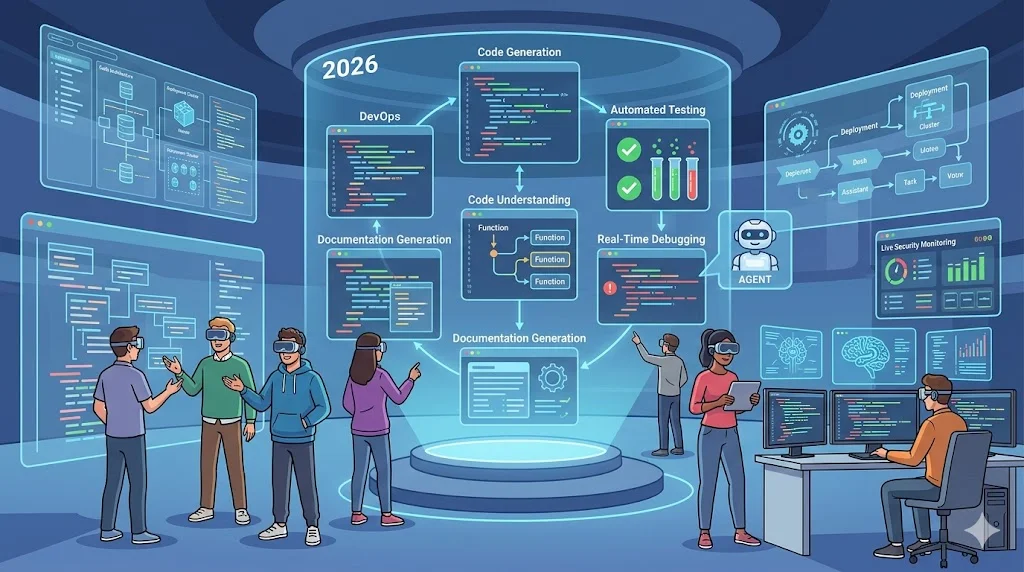
The direction of the market is clear: coding assistants are becoming development agents. Instead of stopping after generating a snippet, they increasingly plan tasks, inspect repositories, edit files, run tools, execute tests, review changes, and prepare work for human approval.
That trend creates an important shift in engineering practice. Teams need stronger instructions, reliable automated tests, clear repository conventions, permission boundaries, secure development practices, and review processes. AI can reduce the effort required to create software, but it does not remove the need to decide what software should do or how it should be safely maintained.
Frequently asked questions
What is the difference between an AI coding assistant and a coding agent?
An assistant can provide suggestions, explanations, and generated code. A coding agent can take a larger task, determine the steps required, modify files, use tools, run commands, and iterate toward a result. Many current products support both modes.
Which AI coding assistant is best?
There is no universal winner. GitHub-centered teams may prefer Copilot, AI-first editor users may prefer Cursor or Windsurf, terminal-oriented developers may prefer Claude Code, AWS teams may favor Amazon Q Developer, and JetBrains users may benefit from AI Assistant and Junie.
Are AI coding assistants safe for production code?
They can be used as part of professional development workflows, but generated code should still pass normal engineering review, testing, dependency checks, security checks, and deployment controls. Agentic capabilities increase the importance of permissions and review.
Do AI coding assistants replace developers?
They automate parts of software development rather than eliminating the need for engineering judgment. Developers still need to define requirements, review architecture, validate behavior, manage security, understand business rules, and maintain the resulting system.
Should teams compare models or coding tools?
Both matter. The underlying model influences reasoning and code generation, but the surrounding product determines repository context, tools, IDE integration, permissions, testing workflows, governance, and cost. A strong model in an unsuitable workflow may be less useful than a slightly different model integrated well with the team's development environment.
What should developers test before adopting an AI coding assistant?
Use real tasks such as feature implementation, debugging, refactoring, test generation, documentation, and code review. Measure the complete workflow, including corrections and human review, rather than counting generated lines of code.
Bottom line
There is no single best AI coding assistant for every developer or team. GitHub Copilot is compelling for broad GitHub-centered workflows; Cursor and Windsurf suit developers who prefer AI-first editors; Claude Code is a strong terminal-oriented agent; Codex focuses on multi-step engineering work; Amazon Q Developer is particularly relevant to AWS environments; and JetBrains AI Assistant and Junie are natural candidates for teams deeply invested in JetBrains IDEs.
The strongest selection process is therefore workflow-first rather than hype-first. Define the tasks your developers actually perform, test several assistants against the same repository and acceptance criteria, measure the time saved after review and correction, and evaluate privacy and governance before granting broad repository or terminal access.