
Cursor vs GitHub Copilot: AI Coding Tool Comparison
AI-powered coding assistants have rapidly become an integral part of modern development workflows. Two of the most popular tools are Cursor and GitHub Copilot. While both aim to enhance developer productivity, they take different approaches. This guide provides a detailed comparison to help you understand which tool aligns with your workflow and needs.
Introduction to AI Coding Assistants
AI coding assistants leverage large language models to help developers write code faster and more efficiently. They offer features like code completion, natural language to code generation, and automated refactoring. These tools are changing how developers approach their work, reducing time spent on routine coding tasks and allowing more focus on complex problems. Cursor and GitHub Copilot represent two distinct approaches to integrating AI into the development process.
Cursor Overview
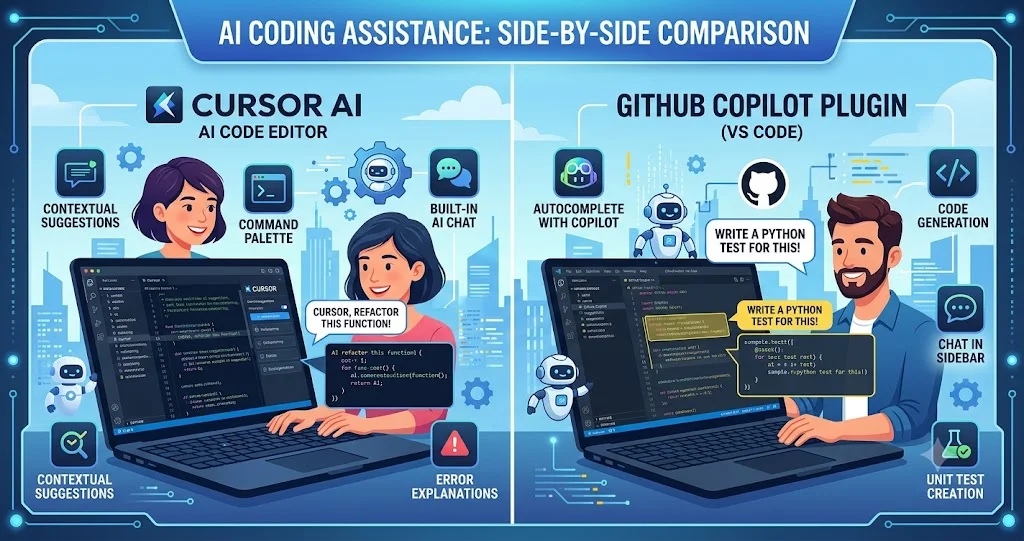
Cursor is an AI-powered code editor that deeply integrates AI capabilities into the development environment. It is built on the foundation of VS Code, making it familiar to many developers.
- Core Philosophy: AI is a fundamental part of the editor, designed to assist developers throughout the entire coding process.
- Key Features: Deep AI integration for code completion, generation from natural language, inline chat, codebase awareness, and refactoring assistance.
- Strengths: Offers a seamless, integrated experience with the familiarity of VS Code. Its codebase-awareness provides rich context for AI suggestions.
GitHub Copilot Overview
GitHub Copilot is an AI-powered code completion tool developed by GitHub and OpenAI. It operates as a plugin that integrates with popular code editors.
- Core Philosophy: AI is an intelligent assistant that enhances code writing within your existing editor.
- Key Features: Autocomplete suggestions, code generation from comments, and contextual assistance, integrated into various editors like VS Code, JetBrains, and Neovim.
- Strengths: Seamless integration with a wide range of editors, strong autocomplete capabilities, and a large user base.
Key Feature Comparison
Understanding the core features helps distinguish between the two tools.
- Code Generation: Both can generate code from natural language descriptions. Cursor's generation is deeper, integrated with the editor's context. Copilot's generation is streamlined and focused on inline suggestions.
- Code Completion: Both offer intelligent code completion. Copilot is known for its strong autocomplete, while Cursor offers a more context-aware completion.
- Debugging Assistance: Cursor offers more integrated debugging features. Copilot provides suggestions but is less focused on debugging.
- Refactoring Support: Both support refactoring, but Cursor offers more comprehensive refactoring capabilities due to its deeper editor integration.
Integration and Compatibility
Integration matters for your development workflow.
- Cursor: Based on VS Code, it inherits extensive compatibility with extensions. It is a complete editor, not just a plugin.
- Copilot: Available as a plugin for VS Code, JetBrains, Neovim, and others. It integrates into your existing environment.
- Which Is More Compatible? Copilot is more flexible if you want to stay in your current editor, while Cursor offers a cohesive experience if you are willing to switch editors.
Performance and User Experience
Performance and user experience are crucial for adoption.
- Cursor: Offers a familiar VS Code experience with deep AI features. The user experience is cohesive but may involve a learning curve for full feature utilization.
- Copilot: Provides a lightweight experience integrated into your editor. Its autocomplete is fast and unobtrusive.
- Which Has Better UX? Copilot is easier for quick adoption; Cursor offers more integrated, powerful features for those willing to invest time.
Cost and Licensing
Cost is an important factor for individual developers and organizations.
- Cursor: Offers a free tier with limited features. Paid plans provide access to more advanced AI capabilities and unlimited usage.
- Copilot: Requires a subscription for most users. It is free for verified students and open-source maintainers. Pricing is per user, per month.
- Which Is More Cost-Effective? Cost-effectiveness depends on usage and specific needs. Cursor's free tier is attractive for occasional use, while Copilot's subscription may be better for daily professional use.
Comparison of Cursor and GitHub Copilot
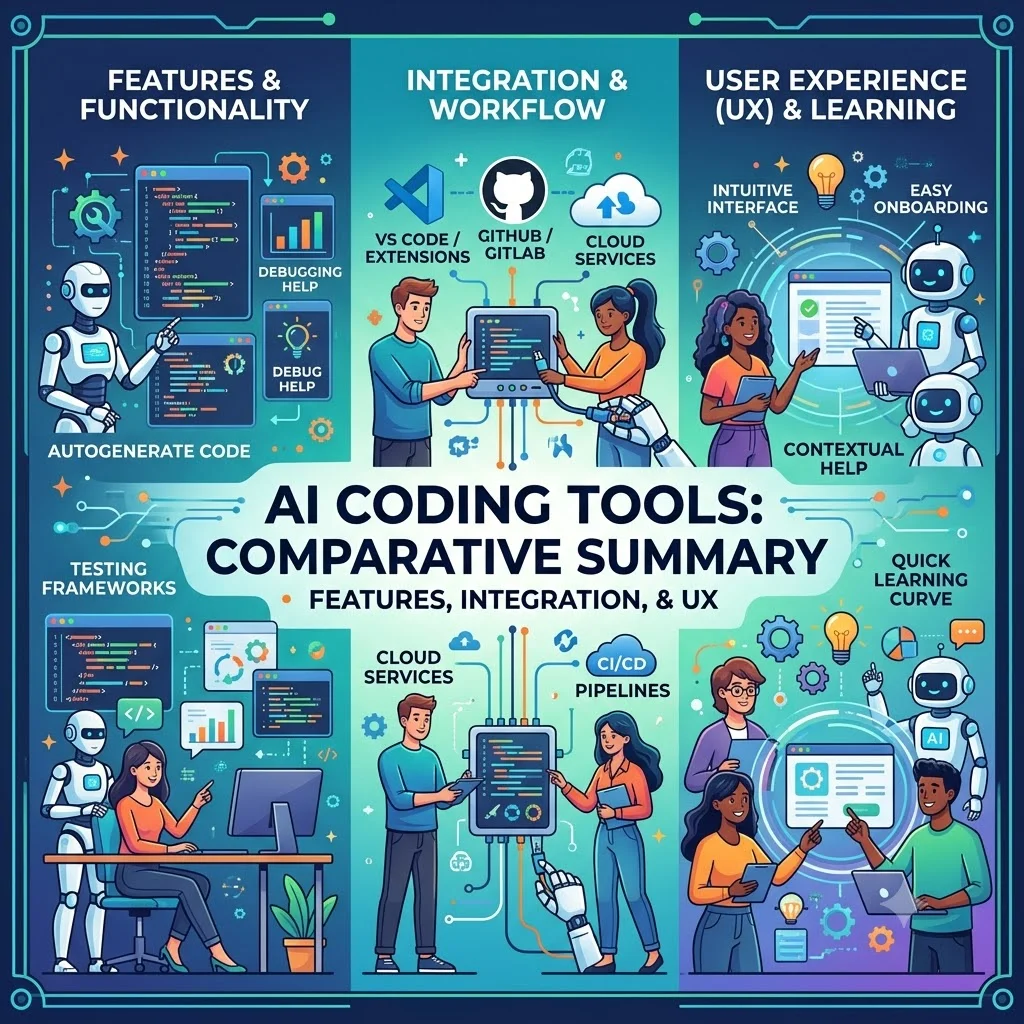
The following table provides a detailed comparison of Cursor and GitHub Copilot.
| Feature | Cursor | GitHub Copilot |
|---|---|---|
| Type | AI-powered code editor | AI code completion plugin |
| Environment | Custom built on VS Code | VS Code, JetBrains, Neovim, etc. |
| Key Feature | Deep integrated AI, codebase-aware | Autocomplete, chat integration |
| Code Generation | Context-aware, robust | Inline, from comments |
| Debugging | AI-assisted debugging | Limited, primarily completion |
| Refactoring | Comprehensive, integrated | Limited, code suggestions |
| Cost | Free tier + paid plans | Subscription, free for students |
| Compatibility | Supports VS Code extensions | Wide range of IDEs |
Checklist: Choosing Between Cursor and Copilot
Use this checklist to decide which tool fits your development needs.
- Current Setup: Are you willing to switch editors, or do you prefer a plugin for your existing environment?
- Feature Needs: Do you need deep AI integration and codebase awareness?
- Budget: Can you afford a subscription, or do you prefer a tool with a free tier?
- Customization: Do you need extensive extension support and customization?
- Workflow: Do you prefer a streamlined autocomplete experience or a fully AI-integrated editor?
Tips for Using AI Coding Tools Effectively
These tips can help you maximize the value of AI coding assistants.
- Write Clear Comments: Use descriptive comments to guide the AI's code generation.
- Review Generated Code: Always review AI-generated code to ensure correctness and adherence to best practices.
- Iterate on Prompts: Refine your natural language prompts to improve code quality.
- Learn the Features: Invest time in understanding the full capabilities of the tool you choose.
Frequently Asked Questions About Cursor and Copilot
Is Cursor better than GitHub Copilot?
It depends on your needs. Cursor offers a more integrated, editor-first experience with deep AI features. Copilot provides a lightweight, plugin-based approach that integrates into your existing workflow.
Can I use Copilot with Cursor?
Yes, because Cursor is based on VS Code, you can install the GitHub Copilot extension and use it within Cursor.
Is GitHub Copilot free?
GitHub Copilot is free for verified students and open-source maintainers. For others, it is available through a paid subscription.
What does Cursor cost?
Cursor offers a free tier with limited features and paid plans with advanced AI capabilities.
Which has better code generation?
Cursor tends to offer more context-aware code generation due to its editor integration. Copilot provides efficient, inline generation.
Which tool is better for large codebases?
Cursor's codebase awareness can be beneficial for large projects, providing context for its AI suggestions. Copilot also performs well on large codebases.
Does Copilot work with all languages?
Copilot supports a wide range of languages, with varying levels of quality. Cursor supports many languages, though its primary environment is VS Code-based.
Can I use Cursor with my own AI model?
Cursor may offer options to use custom models or APIs in some configurations, but specifics should be confirmed with the platform's documentation.
What is the learning curve for Cursor?
For VS Code users, the transition is generally smooth. Learning the AI features and how to integrate them effectively is the main adjustment.
How does Copilot's autocomplete compare to Cursor?
Copilot is known for its strong autocomplete capabilities, while Cursor offers a more integrated, context-aware completion experience.
Conclusion
Cursor and GitHub Copilot are both powerful AI coding tools, but they serve different workflows. Cursor offers a deeply integrated, editor-first approach with codebase awareness and comprehensive AI features. GitHub Copilot provides a lightweight, plugin-based assistant that fits into existing development environments. The choice depends on whether you prefer a fully AI-integrated editor or a plugin that enhances your current workflow. Evaluate both based on your development needs, budget, and preference for integration depth to find the tool that best supports your productivity.